What is QR Planet?
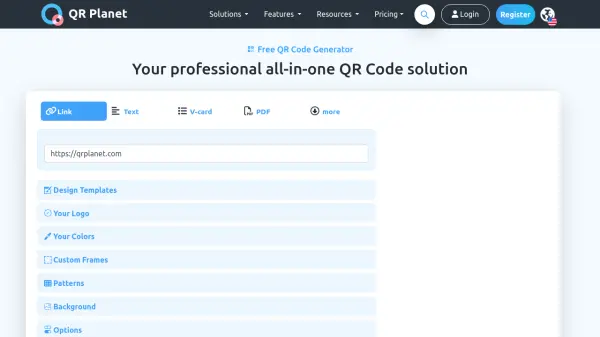
QR Planet provides a comprehensive QR code management platform designed for businesses and individuals seeking to optimize their mobile marketing efforts. The platform enables users to create dynamic QR codes that can be updated without reprinting, offering flexibility for evolving campaigns. Users can generate QR codes for various purposes including business cards, websites, PDFs, social media links, and contact information, with all content optimized for modern smartphone browsers.
The platform includes powerful tracking and analytics capabilities that provide insights into scan locations, device information, and visitor behavior while maintaining GDPR and CCPA compliance. Additional features include batch QR code generation, scheduled redirects, secure HTTPS connections, vector format downloads for high-quality printing, and email notifications for scans. The AI assistant available in premium plans helps optimize QR code performance and campaign strategies.
Features
- Dynamic QR Codes: Update target URLs without reprinting QR codes
- Scanning Analytics: Track unique visitors, total scans, and detailed scan information with GPS tracking
- Batch Generation: Create mass personalized QR codes with unique identifiers
- Vector Formats: Download QR codes in scalable SVG, EPS, or PDF formats for high-quality printing
- Scheduled Redirects: Set time-based routing that adapts to user time zones
- Secure Connections: HTTPS-encoded URLs with broken link monitoring and email alerts
- Scan Notifications: Receive email alerts with device info and location when QR codes are scanned
- Export Data: Export statistics including creation date, scan dates, and visitor counts
Use Cases
- Creating QR code business cards with contact information and social media links
- Running mobile marketing campaigns with trackable QR codes
- Generating PDF QR codes for document sharing
- Implementing lead generation forms through QR codes
- Creating digital coupons with QR code redemption tracking
- Setting up event registration with QR code check-ins
- Developing product packaging with scannable QR codes for additional information
- Creating restaurant menus with QR codes for digital ordering
FAQs
-
How do I create a PDF QR Code?
Create an account, create a new QR Code, upload the PDF file, and click Create QR Code. -
What is the difference between QR Code Business Card and dynamic vCard QR Code?
Static vCard QR Codes contain fixed information, QR Code Business Cards create mobile-optimized websites with contact details, and Dynamic vCard QR Codes allow URL updates without reprinting. -
How should I print QR Codes for optimal scanning?
Provide enough contrast, maintain quiet zones around the QR Code, use scalable vector formats, watch minimum size requirements, and do not exceed maximum logo size limits. -
What payment methods are accepted?
Credit cards (American Express, Visa, MasterCard) and PayPal for quarterly billing, with bank transfer available for annual premium or white label plans.