What is Q Ware CMMS?
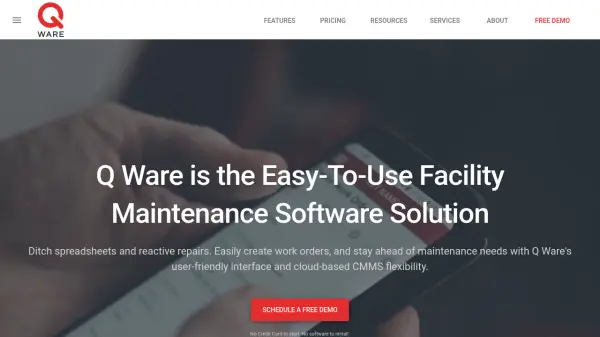
Q Ware CMMS is a comprehensive facility maintenance software solution that enables organizations to efficiently manage work orders, schedule preventive maintenance, track inventory, and oversee assets through an intuitive web-based platform. Designed with ease-of-use and customization in mind, Q Ware offers automated workflows, real-time notifications, and extensive reporting capabilities to help facility managers stay proactive and organized.
This cloud-based CMMS solution supports multi-site management, customizable user permissions, barcode scanning, mobile access, and vendor management, making it suitable for a variety of industries such as education, healthcare, manufacturing, and public works. Flexible pricing plans and add-ons like event booking and GIS mapping are available, ensuring the software grows with your organization's needs while maintaining operational excellence and compliance.
Features
- Work Order Management: Create, track, and update corrective and preventive maintenance work orders
- Preventive Maintenance Scheduling: Automate recurring maintenance tasks and generate work orders
- Inventory Management: Track inventory consumption, costs, and receive reorder notifications
- Asset Management: Manage and monitor facility assets with barcode and QR code support
- Custom Reporting: Generate and export reports on metrics, inventory, labor, and assets
- Mobile Access: Manage maintenance activities on-the-go with offline capabilities
- Vendor Management: Track vendor contacts, upload invoices, and maintain purchase records
- Cloud-Based Access: Accessible from any web browser with unlimited document storage
- Customizable Interface: Adapt workflows, custom fields, user groups, and white-labeling
- Add-On Modules: Event booking, GIS mapping, and API integrations for expanded functionality
Use Cases
- Automating preventive maintenance schedules in manufacturing facilities
- Managing work requests and maintenance tasks for educational institutions
- Tracking consumable inventory and controlling costs in healthcare environments
- Coordinating vendor relationships and managing service contracts
- Mapping and managing remote facility assets with GIS capabilities
- Streamlining property maintenance for multi-site real estate portfolios
- Booking event spaces and managing facility usage requests
FAQs
-
What industries can use Q Ware CMMS?
Q Ware CMMS is suitable for a wide range of industries including airports, education, healthcare, manufacturing, property maintenance, public works, recreation, and places of worship. -
Does Q Ware CMMS support multi-site facility management?
Yes, Q Ware CMMS supports unlimited locations and allows users to manage maintenance and assets across multiple sites. -
What kind of support is provided with Q Ware CMMS?
Users of Q Ware CMMS have access to a dedicated team of support professionals and unique services such as asset data collection and preventive maintenance program building. -
Is mobile access available with Q Ware CMMS?
Yes, Q Ware CMMS offers a native mobile app for managing work orders on the go, including offline capabilities for certain subscription levels. -
Can I customize the workflows and user interfaces in Q Ware CMMS?
Yes, the platform supports customizable workflows, user groups, custom fields, and white-labeling to align with your organization's unique requirements.