What is Pulz.io?
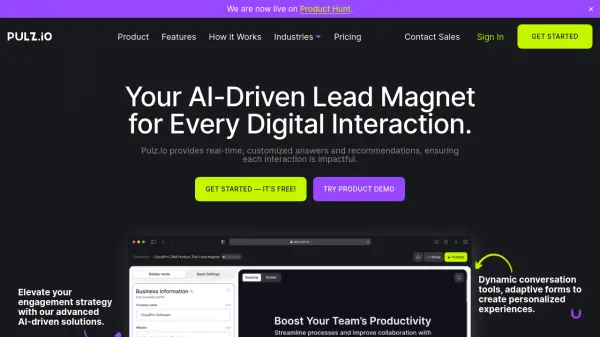
Pulz.io utilizes advanced artificial intelligence to create tailored user journeys, dynamic chat tools, and adaptive forms, significantly elevating engagement and conversion rates. The platform enhances digital interactions by providing real-time, personalized responses and recommendations that are perfectly aligned with the unique needs of each business.
Pulz.io is designed for ease of use and implementation, featuring an intuitive interface that allows for straightforward setup and management. It offers robust performance analytics, including A/B testing, to optimize user engagement strategies based on data-driven insights. The platform is also fully customizable to reflect specific brand identities and to meet any use case requirement.
Features
- Real-Time, AI-Driven Recommendations: Provides immediate insights and tailored recommendations to users.
- Personalized Experiences: Delivers customized interactions that resonate deeply with the audience.
- Enhanced Engagement and Increased Conversion: Actively engages users with personalized suggestions, boosting conversion rates.
- Accurate Data Collection and Analysis: Collects precise data to understand the audience and refine outreach methods.
- Branded and Tailored Solutions: Customizes SaaS to reflect the brand and meet specific use case requirements.
- Ease of Use and Implementation: Designed for straightforward setup and management.
- Performance Analytics: Leverages A/B testing to experiment with user scenarios and optimize strategies.
Use Cases
- Real Estate Client Engagement
- Retail Customer Interaction
- SaaS Customer Support
- Travel Booking Assistance
- Public Sector Citizen Communication
- Professional Services Client Management
- Media Content Distribution
- Manufacturing Process Optimization
- Fitness and Wellness Client Interaction
- Financial Services Client Engagement
- Energy Resource Management
- Education Student Engagement
- eCommerce Product Recommendations
- Digital Marketing Lead Generation
- Consumer Goods Customer Interaction
- Communication Customer Service
FAQs
-
Can I change my conversation package at any time?
Yes! You can adjust your conversation package as your needs change. Upgrades take effect immediately, while downgrades become effective at the end of your current billing cycle. -
What if I need more than 1,000 conversations per month?
We’re happy to accommodate larger needs. Please get in touch with us to discuss custom solutions. -
How will I know if I’m approaching my conversation limit?
We’ll keep you informed with notifications. You can also monitor your usage anytime from your dashboard. -
How can I update my payment details?
You can update your payment information by navigating to the “Billing” section in your account and clicking on “Manage Billing.” This will direct you to Stripe, where you can update your billing address and card information. -
Where can I download my invoices?
Invoices are available in the “Billing” section under “Manage Billing.” You can download past invoices in PDF format from the Invoices page.