What is Prompt Vault?
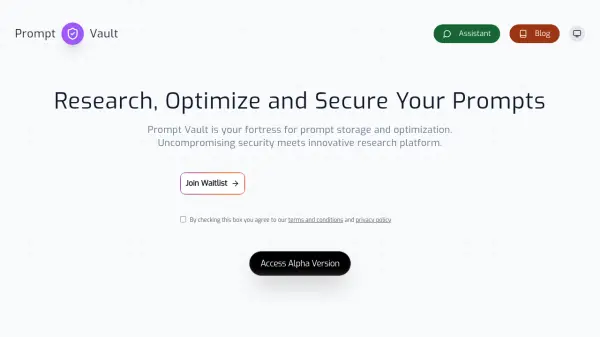
Prompt Vault provides a highly secure environment designed for the storage, research, and optimization of AI prompts. It functions as a centralized repository where users can safeguard their valuable prompt engineering assets. The platform emphasizes security through military-grade AES-256 end-to-end encryption and operates on a zero-knowledge principle, ensuring that even the provider cannot access user data, thus guaranteeing privacy and confidentiality.
Beyond secure storage, Prompt Vault incorporates advanced tools within its Prompt Labs feature. These tools facilitate the research, development, and refinement of prompts, enabling users to enhance their effectiveness. The platform also maintains comprehensive logs and audit trails for transparency and accountability. By protecting unique prompts as intellectual property, Prompt Vault helps users maintain their competitive edge and operational efficiency in AI development and application.
Features
- End-to-End Encryption: Secures prompts with AES-256 encryption.
- Zero Knowledge Platform: Guarantees absolute privacy as the platform cannot access user data.
- Comprehensive Logs & Audit Trails: Tracks all activities for transparency and accountability.
- Advanced Prompt Labs: Provides tools for researching, developing, and optimizing prompts.
- Military-Grade Security: Employs robust encryption and undergoes regular third-party security audits.
- Intellectual Property Protection: Safeguards unique prompts from unauthorized access.
- Advanced Analytics: Offers insights into prompt usage and performance (Paid plans).
- AI-powered prompt suggestions: Assists in prompt refinement (Premium+ plans).
- Team collaboration: Enables multiple users to work together (Premium+ plans).
Use Cases
- Securely storing valuable and sensitive AI prompts.
- Protecting intellectual property related to prompt engineering.
- Researching and developing effective prompts in a secure environment.
- Optimizing prompts for improved AI model performance.
- Collaborating on prompt creation and management within teams.
- Maintaining audit trails for prompt usage and modifications.
- Ensuring privacy and confidentiality for proprietary prompts.
FAQs
-
What level of encryption does Prompt Vault use?
Prompt Vault uses AES-256 encryption, often referred to as military-grade, to secure user prompts. -
Can Prompt Vault staff access my stored prompts?
No, Prompt Vault operates on a zero-knowledge platform, meaning the platform is designed so that even staff cannot access your encrypted prompt data. -
Does Prompt Vault offer team features?
Yes, team collaboration features are available starting from the Premium plan. -
Is there a free version of Prompt Vault?
Yes, Prompt Vault offers a Free plan that allows storage for up to 10 prompts with basic encryption. -
How long are activity logs retained in Prompt Vault?
Log retention periods vary by plan: 24 hours for the Free plan, 1 month for the Basic plan, and 2 years for the Premium and Enterprise plans.