What is Professionally?
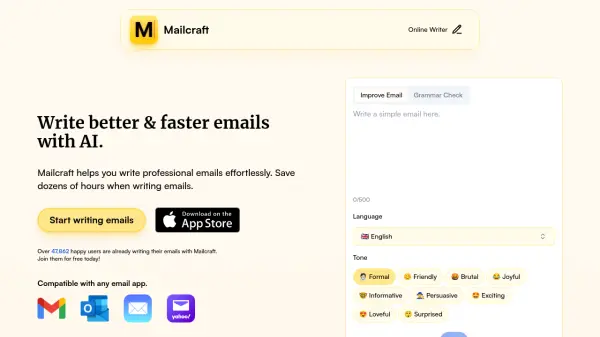
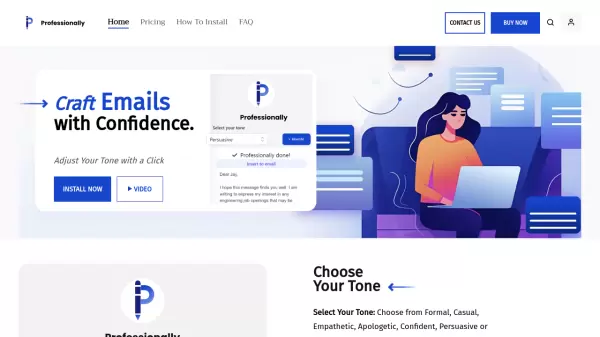
Professionally is an innovative email writing tool that transforms the way users communicate through email. The platform offers a sophisticated tone adjustment system that allows users to seamlessly switch between different communication styles including formal, casual, empathetic, apologetic, confident, persuasive, and humorous modes.
The tool integrates seamlessly across multiple platforms including Windows, macOS, and web browsers, making it accessible for various users. It leverages artificial intelligence to generate customized email content, helping professionals, English learners, educators, and students communicate more effectively while saving time and improving their writing quality.
Features
- Tone Adjustment: Seven different communication styles including formal, casual, empathetic, apologetic, confident, persuasive, and humorous
- Multi-Platform Support: Available on Windows, macOS, and web browsers
- Real-time Translation: Instantly transforms email content based on selected tone
- Context Preservation: Maintains message intent while adjusting communication style
- Cross-platform Integration: Seamless functionality across different email platforms
Use Cases
- Professional business communication
- Customer service responses
- Academic correspondence
- ESL communication assistance
- Team collaboration messages
- Client relationship management
- HR communications
FAQs
-
What platforms is Professionally available on?
Professionally is available on Windows, macOS, and as a web-based solution. -
What different tone options are available?
The tool offers seven tone options: Formal, Casual, Empathetic, Apologetic, Confident, Persuasive, and Humorous. -
Who can benefit from using Professionally?
The tool is perfect for professionals, English learners, educators, and students who want to improve their email communication.