What is Process Tempo Jupiter?
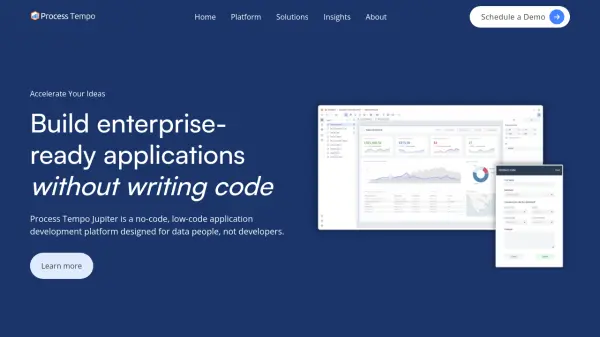
Process Tempo Jupiter is a comprehensive no-code and low-code application development platform specifically designed for data professionals rather than traditional developers. This innovative platform integrates data visualization capabilities with workflow automation and AI features to enable the rapid creation of enterprise-grade business solutions without requiring extensive coding knowledge.
The platform connects directly with enterprise data systems such as Databricks, Snowflake, and Neo4j without necessitating data migration to separate architectures. Process Tempo Jupiter provides complete control over application design and appearance while offering built-in security, logging features, and single sign-on integration capabilities for enterprise readiness.
Features
- No-Code/Low-Code Development: Rapid application development environment for data professionals without extensive coding skills
- Data Visualization with Workflow: Combines data visualization capabilities with workflow automation for immediate action on insights
- Enterprise Data Integration: Connects directly to data platforms like Databricks, Snowflake, and Neo4j without data migration
- Complete Design Control: Pixel-perfect application design capabilities for creating customized digital experiences
- Built-in Security Features: Enterprise-ready security, logging, and single sign-on integration capabilities
Use Cases
- Building enterprise-grade business applications without coding
- Creating data visualization dashboards with integrated workflow automation
- Developing production-grade solutions for business process improvement
- Embedding applications within existing enterprise systems
- Accelerating digital transformation initiatives
FAQs
-
Can Process Tempo Jupiter be installed within a private cloud?
Yes, enterprise customers can install Jupiter within their own private cloud connected directly to their data, and private hosting options are also available. -
What data platforms does Jupiter support?
Jupiter supports modern data platforms including Databricks, Snowflake, Google Big Query, and graph databases like Neo4j, MemGraph, and Puppy Graph, with support for combining relational and graph data in visualizations. -
Can Jupiter solutions be embedded within existing applications?
Yes, Jupiter solutions can be embedded using an Iframe, and the platform's built-in security and logging features help make applications enterprise ready. -
Does Jupiter integrate with Single Sign-On (SSO) systems?
Yes, Process Tempo Jupiter integrates with most single sign-on authentication platforms. -
Is a free trial available for Process Tempo Jupiter?
Yes, a free trial is available to ensure straightforward evaluation of the platform.