What is Pressure.js?
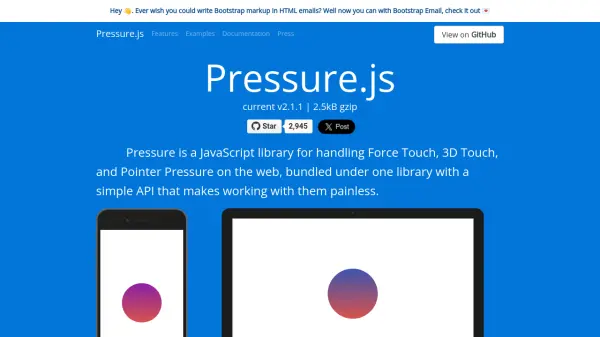
Pressure.js is a JavaScript library designed to handle Force Touch, 3D Touch, and Pointer Pressure on the web, offering a simple API that works across all devices. It bundles support for different pressure-sensitive technologies into one library, ensuring developers can implement pressure interactions without dealing with device-specific complexities.
The library includes features like multitouch support, a polyfill for non-pressure-sensitive devices using time as a replacement for force, and device support testing. It supports various devices and browsers, including Microsoft Surface, Wacom Tablets, iPhones, MacBooks, and iPad Pro with Apple Pencil, making it versatile for web applications.
Features
- Unified API: Works across Force Touch, 3D Touch, and Pointer Pressure with a simple interface
- Device Support: Compatible with various devices including Microsoft Surface, iPhones, MacBooks, and Wacom Tablets
- Multitouch Support: Handles multiple fingers on the screen with different force levels simultaneously
- Polyfill Option: Uses time as a replacement for force on non-pressure-sensitive devices
- Support Testing: Determines if a user's device supports pressure-sensitive inputs
Use Cases
- Implementing pressure-sensitive interactions in web applications
- Creating accessibility features like adjustable text size based on pressure
- Developing interactive elements such as unblurring photos with pressure
- Building games or tools that use variable pressure for controls
- Adding force press actions like launching popovers on deep presses
FAQs
-
What devices does Pressure.js support?
Pressure.js supports devices like Microsoft Surface, Wacom Tablets, iPhones (6s and later), MacBooks (2015 and later), Magic Trackpad 2, and iPad Pro with Apple Pencil, across browsers such as Safari, Chrome, Opera, IE, and Edge. -
How does the polyfill work in Pressure.js?
The polyfill in Pressure.js uses time as a replacement for force on devices that do not support Force Touch or 3D Touch, allowing similar interactions by holding down elements for a duration. -
Can Pressure.js handle multiple touches at once?
Yes, Pressure.js supports multitouch, allowing multiple fingers on the screen to apply different amounts of force on different elements simultaneously. -
Is Pressure.js free to use?
Yes, Pressure.js is a free JavaScript library available for use in web development projects. -
How can I test if a device supports pressure with Pressure.js?
Pressure.js includes support testing features that allow developers to determine if a user's device supports pressure-sensitive inputs, helping to tailor interactions accordingly.