What is Prescene?
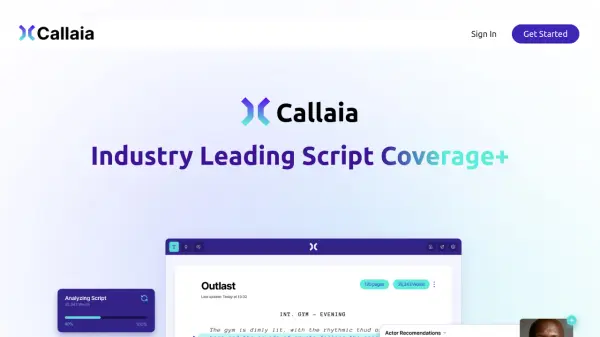
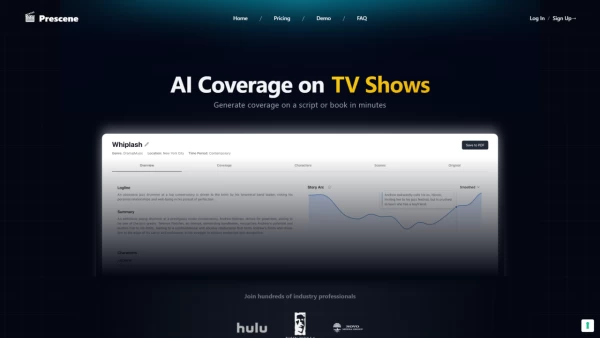
Prescene is an AI-driven platform that caters to film and production industry professionals by offering an advanced AI coverage solution. It allows users to upload scripts or books and receive detailed analysis, including character and scene examination, actor recommendations, and more. The tool boasts robust analysis capabilities without the need to train on user documents, ensuring privacy and data security with advanced encryption.
With its blazingly fast processing, Prescene facilitates going through content in a fraction of the time it would traditionally take. It goes beyond standard coverage to provide essential storytelling feedback such as logline, summary, themes, comparative analysis, character breakdowns, story arc composition, and writing quality insights. Additionally, Prescene examines book-to-screen adaptability, marketability, and offers constructive feedback to identify areas for improvement. These in-depth analyses can be shared with teams or clients through easily downloadable PDF reports, enhancing collaboration and streamlining workflows.
Features
- Robust Analysis: Character & Scene Analysis, Actor Recs, and more
- Blazing Fast: Go through content in a fraction of the time
- Security: Advanced encryption for data confidentiality
- Easy to Share: Share PDF Reports with your team or clients
- Storytelling Essentials: Logline, Summary & Themes and more
- Constructive Feedback: Identify areas for improvement
Use Cases
- Script and book coverage for film industry professionals
- Actor and talent recommendations for casting decisions
- Comparative analysis for similar films and TV shows
- In-depth writing quality assessment for screenwriters
FAQs
-
What kind of analysis does Prescene provide for scripts and books?
Prescene offers character and scene analysis, actor recommendations, logline, summary, themes, comparative analysis, and writing quality insights. -
How fast is the processing time with Prescene?
Prescene processes content significantly faster than traditional methods, enabling users to go through material in a fraction of the time. -
Can the analyses generated by Prescene be shared with teams or clients?
Yes, Prescene allows users to easily share detailed analyses through downloadable PDF reports, enhancing collaboration and streamlining workflows. -
What security measures does Prescene have in place to protect user data?
Prescene ensures data confidentiality through advanced encryption, ensuring the privacy and security of the content uploaded for analysis. -
What are some common use-cases for Prescene in the film industry?
Prescene is used for script and book coverage, talent recommendations, comparative analysis, and writing quality assessments, catering to various professionals in the film and production industry.