What is PopSQL?
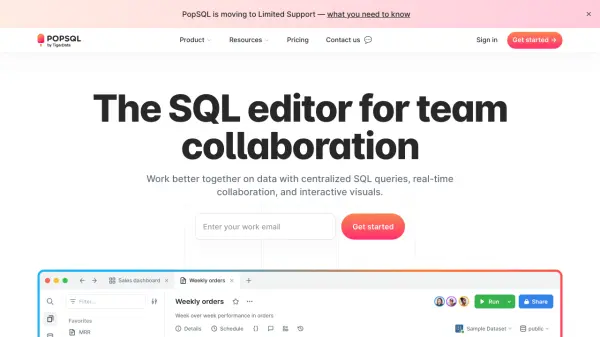
PopSQL provides a modern SQL development environment designed specifically for team collaboration. It centralizes SQL queries, dashboards, and data catalog information to eliminate versioning issues and reduce reliance on scattered communication channels like Slack.
The platform offers real-time collaboration features including inline comments, version history tracking, and shared database connections. It includes visualization tools that transform query results into charts and dashboards without requiring external spreadsheet applications, and supports integration with various databases and tools like Slack and Git.
Features
- Real-time collaboration: Multiple team members can edit queries simultaneously with inline commenting
- Data visualization: Built-in charting and dashboard creation from SQL query results
- Centralized data catalog: Searchable repository of queries, tables, columns with definitions and tags
- Version history: Track changes to queries with ability to revert or copy previous versions
- Database compatibility: Supports all major database providers including PostgreSQL, MySQL, Snowflake, BigQuery, and more
Use Cases
- Collaborative SQL query development across distributed data teams
- Creating and sharing interactive dashboards from SQL results
- Centralizing organizational knowledge about data models and queries
- Enabling business users to customize reports with query variables
- Scheduling and automating data reports to Slack
FAQs
-
What is the difference between editors and viewers in PopSQL?
Editors can create, edit, and execute queries, while viewers can only access, comment, and share links to existing queries and dashboards. PopSQL only charges for editors, with viewers being free. -
How does pricing work when team members join or leave?
PopSQL pro rates charges when team members change. If someone leaves mid-month, you receive a credit for the unused portion. If someone joins mid-month, you're only billed for the remaining portion of that month. -
Is there a student discount available?
Yes, students enrolled in the GitHub Student Developer Pack can access Business accounts for free.