What is Polymath?
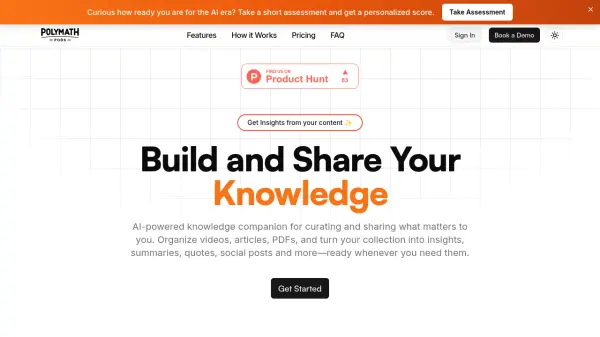
Polymath serves as an AI-powered knowledge companion designed to assist users in curating, organizing, and sharing diverse content formats. It allows for the importation of PDFs, videos, articles, and voice notes into a single, centralized location, facilitating structured knowledge management through custom collections and categories.
Leveraging advanced AI technology, Polymath automatically analyzes imported content to generate summaries, key takeaways, insightful quotes, and social media posts. The platform includes an AI chat feature for interactive engagement with the content, enabling users to ask questions and receive precise, timestamped answers from videos and podcasts. Users can easily share their curated insights across various platforms or export them in different formats suitable for presentations, blogs, or other uses.
Features
- Multi-Format Support: Import and organize PDFs, videos, articles, and voice notes.
- AI-Powered Insights: Automatically generate summaries, quotes, and key insights using AI.
- Easy Sharing: Share curated content and insights across social media and other platforms.
- AI Chat Integration: Engage in conversations about content with an AI assistant.
- Organized Collections: Create custom collections and categories for knowledge structuring.
- Customizable Export: Export insights in various formats for different applications.
- Timestamped Answers: Get precise, timestamped answers from video and podcast content.
- Content Summarization: Generate summaries and key takeaways without viewing full content.
Use Cases
- Consolidating research materials from various sources (articles, videos, PDFs).
- Generating quick summaries and key takeaways from lengthy documents or videos.
- Creating shareable insights for social media or team communication.
- Building a personal or team knowledge base from curated content.
- Finding specific information within video or podcast content using AI chat.
- Extracting key quotes and data points for presentations or reports.
FAQs
-
What file formats does Polymath support?
Polymath supports PDFs, YouTube videos, articles, and voice notes, depending on the chosen plan. The Unlimited plan supports all file formats. -
How many documents can I process per month?
The Starter plan allows 5 data sources monthly, the Pro plan allows 20 data sources monthly, and the Unlimited plan offers unlimited data sources. -
How does the AI-powered analysis work?
Polymath uses advanced AI technology to analyze your imported content, automatically generating summaries, insights, key takeaways, and quotes. -
Can I export my insights in different formats?
Yes, Polymath allows you to export your insights in various formats suitable for presentations, blogs, social media, or other uses. -
Is Polymath AI free to use?
Yes, Polymath offers a 'Starter' plan that is always free, providing basic features like PDF/YouTube support and limited data sources/AI chats. Paid plans (Pro, Unlimited) offer extended features and higher limits.