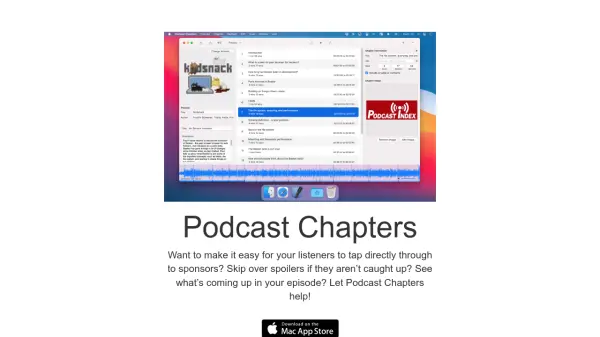
What is Podcast Chapters?
Podcast Chapters is a dedicated Mac application designed to streamline podcast production by adding chapter markers and managing metadata. The tool operates without encoding or re-encoding MP3 files, preserving audio quality while allowing users to insert chapters, set episode details, and embed show art directly. It supports on-device AI transcription for modern Macs, generating text or .srt files locally without data sharing or additional fees.
Users can import audio files, add chapters through a simple interface, and export the final MP3 ready for distribution. The app includes features for viewing existing metadata, importing/exporting data via CSV or JSON, and creating presets for multiple podcasts. Its native Mac integration ensures a fast, offline workflow without web uploads or clunky interfaces.
Features
- AI Transcription: On-device transcription for modern Macs, generating text or .srt files locally without data sharing
- Chapter Markers: Add and edit chapter markers to MP3 files for easy navigation and spoiler avoidance
- Metadata Management: Set and view podcast and episode metadata, including show art, without using iTunes
- No Re-encoding: Edits MP3 files without touching audio bytes, preserving original quality and avoiding encoding delays
- Mac Native: Designed exclusively for Mac with offline operation, no web uploads or downloads required
- Import/Export Options: Import data from CSV files and export as JSON, including optional web player integration
- Presets System: Save shows with pre-set metadata and art for efficient handling of multiple podcasts
- Listen Back Feature: Review audio within the app to accurately place chapter markers at desired positions
Use Cases
- Adding chapter markers to podcast episodes for improved listener navigation
- Transcribing podcast audio locally for accessibility or content repurposing
- Managing podcast metadata and show art without external software
- Creating spoiler-free chapters to allow listeners to skip sensitive content
- Exporting podcast data in JSON format for web player integration
- Handling multiple podcasts efficiently with preset configurations
- Generating .srt files from podcast audio for video or subtitle use