Pocket Coach favicon

Pocket Coach
AI-Powered Learning Platform for Athletes

What is Pocket Coach?

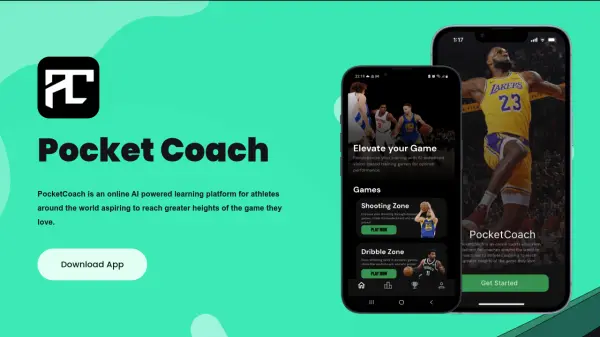
Pocket Coach is a revolutionary sports training platform, utilizing advanced AI and computer vision technology. It offers a unique, gamified approach to skill development, providing athletes with real-time analysis and personalized feedback.

This online platform is designed to help athletes break through plateaus and achieve faster results by transforming practice sessions into insightful, data-driven experiences. It adapts to individual skill levels, making it suitable for both beginners and seasoned professionals.

Features

  • Gamified Drills: Interactive and engaging drills that make training fun and effective.
  • Real-time Analysis: Instant feedback on technique using computer vision technology.
  • Personalized Feedback: Tailored advice to help athletes improve specific areas.
  • Comprehensive Analytics: Detailed statistics to track development, strengths, and weaknesses.
  • Structured Programs: Professionally designed programs to maximize athletic potential.
  • Affordable Coaching: World-class coaching and support at a fraction of the cost of traditional international coaching.

Use Cases

  • Skill development for athletes of all levels.
  • Personalized training programs.
  • Performance tracking and analysis.
  • Remote coaching and training.
  • Improving technique through real-time feedback.

Related Queries

Helpful for people in the following professions

Related Tools:

Blogs:

  • Ghibli Art Generator AI tools

    Ghibli Art Generator AI tools

    List of the best AI tools to turn your photos into images that look like Studio Ghibli movies. Easy to use and fun for everyone.

  • Top 6 AI note-taking tools for 2026: in-person, online, and hybrid use cases

    Top 6 AI note-taking tools for 2026: in-person, online, and hybrid use cases

    Most AI note-taking lists are really lists of meeting bots, which join your video call and transcribe it. That's useful, but it's half the picture. Decisions happen in hallway conversations, client dinners, on-site visits, and hybrid rooms where nobody is on a video link. This guide covers different parts of the note-taking workflow: hardware capture for in-person settings, platform-native tools for online calls, and AI layers for organizing and synthesizing what you've captured. It compares six tools by capture context, workflow fit, pricing, and limitations.

  • Top AI tools for Students

    Top AI tools for Students

    These AI tools are designed to enhance the learning experience for students. From personalized study plans to intelligent tutoring systems.

Didn't find tool you were looking for?

Be as detailed as possible for better results