What is Ploogins?
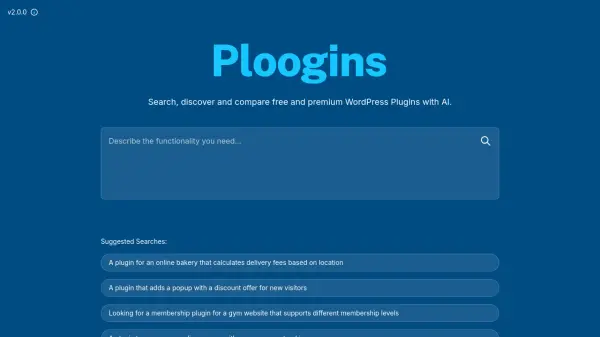
Utilizes artificial intelligence to facilitate the discovery and comparison of WordPress plugins. It provides access to a comprehensive index of over 57,000 free plugins sourced from the official WordPress repository, updated monthly. The platform also includes premium plugins from various partners.
Users can search for plugins based on specific functionalities or needs using natural language queries. While the tool aims for accuracy, it acknowledges that the desired plugin must exist within its index. For non-existent plugins, it offers custom development services through its parent company, Sirvelia.
Users can search for plugins based on specific functionalities or needs using natural language queries. While the tool aims for accuracy, it acknowledges that the desired plugin must exist within its index. For non-existent plugins, it offers custom development services through its parent company, Sirvelia.
Features
- AI-Powered Search: Find WordPress plugins using natural language queries describing functionality.
- Extensive Plugin Index: Accesses over 57,292 free plugins from the WordPress repository.
- Premium Plugin Integration: Includes listings for premium plugins from partners.
- Monthly Updates: The plugin index is refreshed every month.
- Comparative Analysis: Helps users compare different plugin options.
Use Cases
- Finding specific WordPress plugins based on functionality.
- Discovering alternatives to existing plugins.
- Comparing features of free and premium WordPress plugins.
- Searching for plugins for specific website types (e.g., bakery, gym, online course).
- Locating plugins for specific website features (e.g., popups, donations, membership levels).