What is picjumbo?
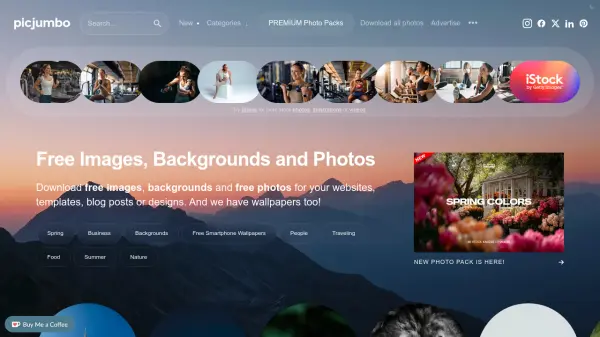
picjumbo is a comprehensive free stock photo platform that provides high-quality images across diverse categories including business, nature, technology, food, architecture, and people. All photos are available in high-resolution formats without watermarks and can be used for both personal and commercial purposes without requiring attribution, though credit is appreciated.
The platform offers a PREMIUM membership option that provides access to exclusive photo collections, with new content added monthly. Users can browse extensive categories, download free smartphone wallpapers, and access design resources while enjoying a straightforward download process for all available images.
Features
- Free Downloads: All images available without cost for personal and commercial use
- High Resolution: Photos provided in very high-resolution quality
- No Watermark: Images download without any branding or watermarks
- Extensive Categories: Organized collections across business, nature, technology, food, architecture, and more
- Commercial Use Allowed: Free images can be used in commercial projects without restrictions
- Regular Updates: New images added daily to the collection
- Smartphone Wallpapers: Dedicated section with high-resolution mobile wallpapers
- Premium Collections: Exclusive photo packs available through membership
Use Cases
- Website design and development
- Blog post illustrations
- Social media content creation
- Marketing materials and advertisements
- Presentation slides and keynote decks
- Mobile app interface design
- Print materials and brochures
- Personal projects and creative work
FAQs
-
What types of images are available on picjumbo?
picjumbo offers a wide range of categories including business photos, nature images, technology photos, animal pictures, architecture images, food photos, people photos, backgrounds, and smartphone wallpapers. -
Can I use picjumbo images for commercial projects?
Yes, all free images from picjumbo can be used in commercial projects without requiring attribution, though giving credit is appreciated. -
How often are new images added to the collection?
New images are published every single day, with regular updates across all categories to provide fresh content for users. -
What is the difference between free and PREMIUM images?
Free images are available to all users, while PREMIUM membership provides access to exclusive photo collections that are not available in the free section, with new collections added monthly. -
Do I need to create an account to download images?
No, users can download free images without creating an account or providing any personal information.