What is Photosounder?
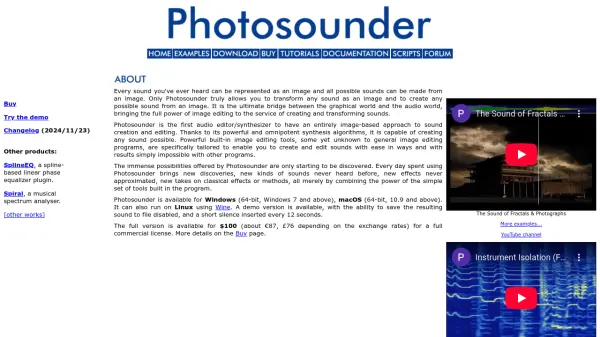
Photosounder is a groundbreaking audio editor and synthesizer that operates entirely through an image-based approach to sound creation and editing. It enables users to represent any sound as an image and generate any possible sound from an image, serving as the ultimate bridge between graphical and audio worlds. The tool leverages powerful synthesis algorithms and specialized image editing features tailored for sound manipulation, offering capabilities beyond traditional audio programs.
The software supports lossless processing, real-time synthesis, and extensive graphical operations for effects ranging from common EQ and compression to unique transformations like spectral quantization. It includes a layer system similar to Photoshop, compatibility with various audio and image formats, and multicore processing for enhanced performance. Photosounder runs on Windows, macOS, and Linux via Wine, with a demo version available and a full commercial license priced at $100.
Features
- Analysis/Synthesis: Lossless processing of sounds based on images with real-time live synthesis and logarithmic spectrogram analysis
- Editing: Dedicated graphical tools including sprays, harmonics modifiers, and layer systems with blending modes for sound creation
- Processing: Extensive graphical/mathematical operations for effects like EQ, compression, denoising, and spectral transformations
- Compatibility: Opens and exports various audio formats (MP3, WAV, etc.) and image formats (JPEG, PNG, etc.) with 32-bit precision
- History and Scripting: Instantly saves actions to a history file for restoration and allows easy scripting to automate tasks
Use Cases
- Turning sounds upside down to swap bass and treble frequencies
- Creating complex soundscapes through extreme time stretching
- Graphically designing instruments and arranging them into musical beats
- Transmitting photographs through sound by converting images to audio
- Isolating or removing instruments from complex audio mixes
- Performing high-quality denoising and sound enhancement processing
- Synthesizing new sounds from photographs or fractal images
- Applying vocoding and pitch-shifting effects for audio manipulation
FAQs
-
What platforms does Photosounder support?
Photosounder is available for Windows (64-bit, Windows 7 and above) and macOS (64-bit, 10.9 and above), and it can run on Linux using Wine. -
What is included in the demo version of Photosounder?
The demo version allows users to try the tool but disables saving the resulting sound to a file and inserts a short silence every 12 seconds. -
What audio and image formats does Photosounder support?
It opens audio formats like MP3, OGG, WAV, AIFF, and FLAC, and image formats like JPEG, PNG, BMP, PSD, and TIFF, with export options to WAV, AIFF, TIFF, BMP, and PNG. -
How does Photosounder handle real-time synthesis?
Photosounder offers real-time live synthesis, enabling users to hear changes as they edit images, such as for time-stretching or sound transformations. -
What are some unique effects possible with Photosounder?
Unique effects include spectral quantization, envelope reversion, spectral gating, pitch inversion, and creating sounds from photographs or fractals.