Peso favicon

Peso
Custom CRM, simplified.

What is Peso?

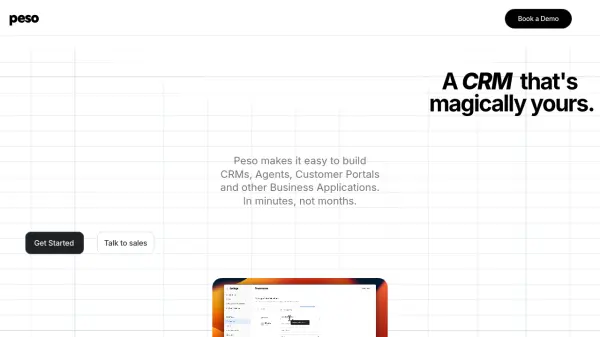
Peso is a platform designed to make creating custom business tools ridiculously easy. It allows businesses to build Customer Relationship Management systems (CRMs), agent interfaces, customer portals, and other applications tailored to their specific needs.

Peso prioritizes seamless integration with existing data sources. It connects to your data where it resides, eliminating the need for migration or data lock-in. This allows for a streamlined approach to building and managing your business applications.

Features

  • Data Source Integration: Seamlessly connect to existing data sources without migration.
  • Custom CRM Building: Easily create CRMs tailored to specific business needs.
  • Workflow Automation: Automate business processes to improve efficiency.
  • Dashboard Creation: Manage and visualize data with custom dashboards.
  • Shared Inbox: Keeps everyone on the same page and in the loop.
  • Task Management: Organize and manage tasks within the platform.
  • Custom Roles : Create custom roles for the team.
  • Portals: Create custom portals.

Use Cases

  • Custom CRM
  • Dashboards
  • Customer Portals
  • Order Management
  • Work Orders
  • Project Management
  • Knowledge Base
  • Field Sales
  • Inspections

FAQs

  • What is Peso's mission?
    Peso's mission is to make creating custom CRM ridiculously easy.

Helpful for people in the following professions

Related Tools:

Blogs:

  • Best text to speech AI tools

    Best text to speech AI tools

    Text-to-speech (TTS) AI tools are designed to convert written or text-based content into natural-sounding spoken audio. These tools utilize various deep learning and neural network architectures to generate human-like speech from textual input.

  • Top 6 AI note-taking tools for 2026: in-person, online, and hybrid use cases

    Top 6 AI note-taking tools for 2026: in-person, online, and hybrid use cases

    Most AI note-taking lists are really lists of meeting bots, which join your video call and transcribe it. That's useful, but it's half the picture. Decisions happen in hallway conversations, client dinners, on-site visits, and hybrid rooms where nobody is on a video link. This guide covers different parts of the note-taking workflow: hardware capture for in-person settings, platform-native tools for online calls, and AI layers for organizing and synthesizing what you've captured. It compares six tools by capture context, workflow fit, pricing, and limitations.

  • Best AI tools for Room Design

    Best AI tools for Room Design

    Discover cutting-edge AI tools that redefine the art of room design. From layout optimization to aesthetic finesse, these top-tier tools enhance your space to new heights.

Didn't find tool you were looking for?

Be as detailed as possible for better results