What is Permalink Manager Pro?
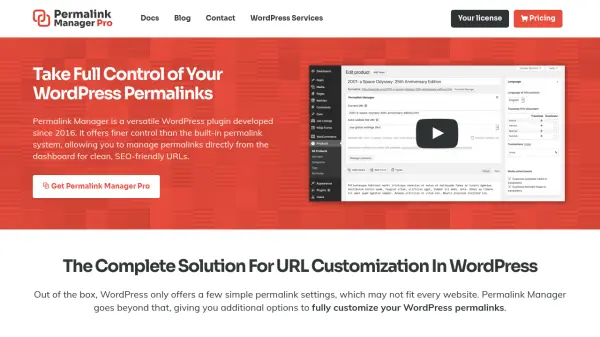
Permalink Manager Pro is a versatile WordPress plugin developed since 2016 that offers finer control over permalinks than WordPress's built-in system. It allows users to manage permalinks directly from the dashboard, enabling the creation of clean, SEO-friendly URLs for posts, pages, categories, custom post types, and taxonomies, including WooCommerce products and product categories.
The plugin features a URI Editor for individual URL adjustments, bulk permalink structure changes, automatic redirects to prevent broken links, and integration with custom fields from plugins like ACF and Pods. It also supports multilingual URLs with WPML and Polylang, making it suitable for global websites. Designed for small to medium-sized sites, it stores permalinks efficiently to avoid performance issues.
Features
- URI Editor: Adjust each individual URL with full control for posts, pages, categories, and custom taxonomies
- Permastructures: Rearrange permalink structures in bulk or set new standards for content items
- Redirects: Automatically redirect old links to new ones to prevent broken links and maintain SEO
- WooCommerce Support: Improve WooCommerce URL structure by removing unnecessary prefixes and adding SKUs
- Custom Fields Integration: Add custom fields to URLs dynamically using admin interface without PHP code
- Multilingual URL Support: Create customized URLs based on language with WPML and Polylang integration
Use Cases
- Optimizing WordPress URLs for better SEO performance
- Managing permalinks for WooCommerce product pages and categories
- Creating multilingual URLs for international websites
- Adding custom fields to URLs for dynamic content
- Redirecting old URLs to new ones without losing traffic
- Bulk editing permalink structures for large websites
FAQs
-
Is Permalink Manager a subscription-based plugin?
No, it is not subscription-based. It offers one-year or lifetime license options with no automatic renewals. -
Can I use a single domain license on multiple websites?
Yes, a single domain license can be used on two separate domains, with flexibility for development and staging sites. -
What is the difference between free and paid version?
The Pro version adds features like custom permalinks for categories, custom fields integration, extra redirects, and dedicated support. -
Will Permalink Manager slow down my website?
It is optimized for small to medium-sized websites and should not slow down pageload times under normal usage. -
What is your refund policy?
A 14-day money-back guarantee is offered for dissatisfied customers.