
What is Period Tracker?
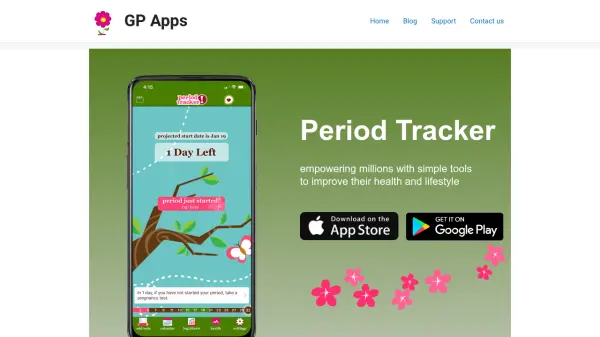
Period Tracker is a comprehensive menstrual health app designed to help users log periods, predict future cycles, and track various symptoms, moods, and lifestyle notes. The app offers a calendar view for at-a-glance tracking, health challenges to improve well-being, and specialized modes for trying to conceive and pregnancy. Premium features include weekly backups, lifestyle charts, eBooks, symptoms charts, calendar charting, smart notifications, and an ad-free experience. User-friendly and accurate, Period Tracker empowers individuals to take charge of their reproductive health and daily wellness.
Features
- Period Logging and Prediction: Simply press a button at period start to log dates and predict next period.
- Notes Tracking and At-a-glance Calendar: Log daily symptoms, moods (30+ options), weight, temperature, and lifestyle notes with monthly, yearly, and list views.
- Health Challenges: Join and complete workouts and challenges, share outcomes with other users.
- Trying to Conceive (TTC) Mode: Input basal body temperature, view cycle trends, and receive daily tips to conceive.
- Pregnancy Mode: Access articles, week-by-week images, and countdown to due date.
Use Cases
- Tracking menstrual cycle and predicting next period dates.
- Monitoring symptoms like cramps, headaches, and bloating.
- Logging moods and lifestyle factors for overall health insights.
- Using TTC mode for fertility tracking and conception tips.
- Following pregnancy progress with weekly updates and due date countdown.
- Participating in health challenges to stay active.
FAQs
-
How do I add a pregnancy?
Turn on Pregnancy Mode in the app settings to activate pregnancy tracking, articles, and week-by-week images. -
My period/fertility predictions are all wrong. How can I fix them?
Ensure you have logged at least a few cycles accurately. The app learns from your data; you can also manually adjust dates if needed. -
How do I transfer my data from my old phone to a new one?
Use the backup feature to email yourself a backup file, then restore it on your new phone via the app settings. -
I used the wrong email address when setting up my account. How do I fix it?
Contact support through the app or website to update your email address.