What is PDF to Video?
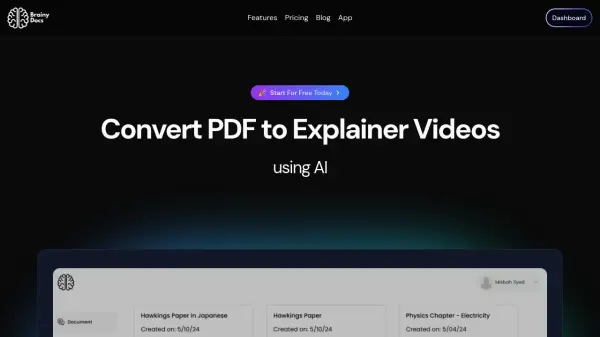
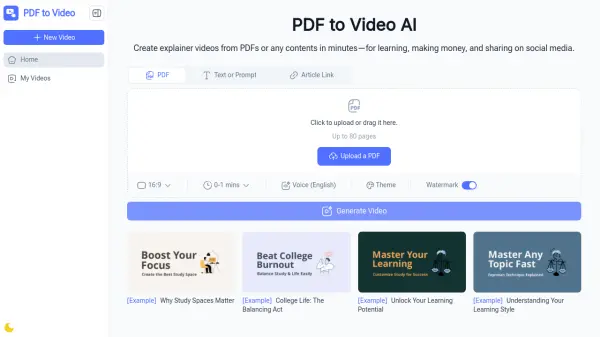
PDF to Video is an innovative AI-powered online platform that transforms static PDF documents into engaging, professional-quality explainer videos. The tool automatically analyzes PDF content, including text, images, and layout, to generate dynamic visuals complete with animations and narration.
This versatile platform requires no video editing experience and operates directly in your browser, making it accessible to users of all skill levels. The tool supports customizable features including voiceovers in multiple languages, timing adjustments, and design modifications to ensure the final output matches the user's specific requirements.
Features
- AI-Powered Conversion: Automatic analysis and transformation of PDF content into engaging videos
- No Sign-Up Required: Instant access without account creation
- Customizable Output: Adjustable voiceovers, timing, and design options
- Multi-Language Support: AI-generated voiceovers in multiple languages
- Browser-Based Operation: No software installation needed
- Professional Quality Output: Professional-grade video generation
- Quick Processing: Fast conversion within minutes
Use Cases
- Converting training manuals into interactive video content
- Transforming business reports and proposals into engaging presentations
- Creating video ads from PDF brochures
- Converting study notes into video format
- Turning product documentation into explainer videos
- Creating visual content for awareness campaigns
- Converting lesson materials into engaging video content
How It Works
Upload Your PDF
Drag and drop your document or select it from your device to start the PDF to Video process.
AI Creates Your Video
Our AI-powered PDF to Video engine analyzes text, images, and layout, then generates a ready-to-edit video with scenes, animations, and narration.
Download & Share
Make quick edits if needed, then export your final video to download or share online instantly.
FAQs
-
Is PDF to Video free to use?
Yes, PDF to Video is completely free to use online, with no sign-up required. -
Do I need video editing experience?
No, our AI does all the hard work. You can customize your video, but it's optional. -
What file types are supported?
Currently, we support PDF files. Other document formats may be added in the future. -
How long does it take to convert a PDF into a video?
Most videos are ready within a few minutes, depending on file size. -
Can I use PDF to Video for commercial purposes?
Yes, you can use the generated videos for personal, educational, or commercial purposes.