What is Paparazzi Docs?
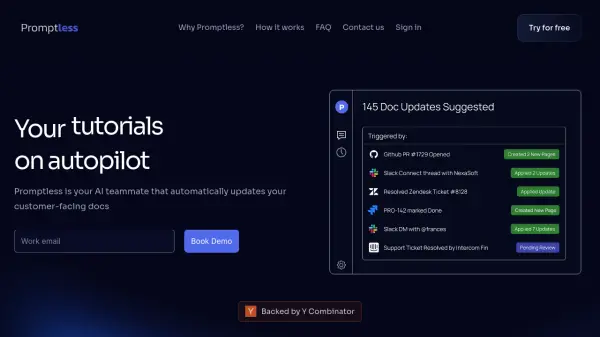
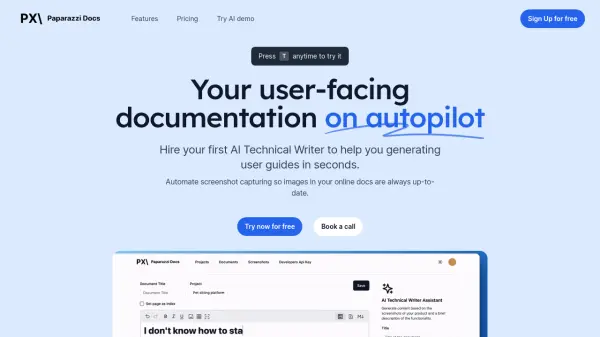
Paparazzi Docs offers an automated solution for creating and maintaining user-facing documentation. It employs an AI Technical Writer to generate user guides rapidly, simply by uploading screenshots of the steps involved. The platform automates the capture and updating of screenshots directly from the product's UI, ensuring that visual aids within the documentation always reflect the current software version. This automation integrates with existing codebase and end-to-end tests, significantly reducing the manual effort and costs associated with documentation upkeep.
Furthermore, the tool provides an intuitive visual editor for crafting and revising documents without requiring coding skills. Users can publish their documentation websites with a single click, as Paparazzi Docs handles website creation and hosting. This streamlines the process of making user guides accessible and ensures that documentation remains accurate and current whenever the software is updated, notifying users of UI changes that may require documentation adjustments.
Features
- AI Technical Writer: Generates user guides from screenshots.
- Automatic Screenshot Capturing: Keeps documentation images up-to-date by auto-capturing UI screenshots.
- Codebase Integration: Integrates with E2E tests for seamless screenshot updates.
- Visual Editor: Allows easy document creation and revision without coding.
- One-Click Deployment: Publishes and hosts documentation websites effortlessly.
- UI Change Notifications: Alerts users when UI updates might require documentation changes.
Use Cases
- Automating the creation of software user guides.
- Maintaining up-to-date screenshots in technical documentation.
- Reducing the time and cost associated with documentation maintenance.
- Publishing online help centers and knowledge bases quickly.
- Ensuring documentation accuracy after software updates.