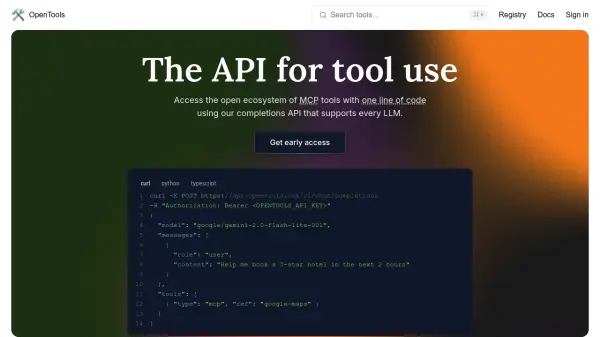
What is OpenTools?
OpenTools offers a specialized API designed to augment Large Language Models (LLMs) with external tool capabilities. By utilizing this single API, developers can access an open ecosystem of MCP (Machine Communication Protocol) tools, granting LLMs functionalities such as web search, real-time location data retrieval, and web scraping without needing individual API keys for each service.
The platform emphasizes seamless integration and flexibility, supporting various LLMs and ensuring applications remain resilient against outages. Its API is engineered to be OpenAI-compatible and supports traditional function calling methods. OpenTools simplifies the financial aspect by charging only for tool execution with tokens priced at-cost, consolidating all charges into one unified billing portal, thus eliminating the need to manage multiple LLM and external service accounts separately.
Features
- Unified API: Access a wide range of MCP tools with a single API integration.
- Multi-LLM Support: Seamlessly switch between different Large Language Models.
- OpenAI Compatibility: API designed for compatibility with OpenAI standards and function calling.
- MCP Registry Access: Browse and utilize a registry of supported MCP servers.
- Transparent Pricing: Pay only for tool execution with at-cost token charges.
- Unified Billing: Consolidates all LLM and tool usage costs into one portal.
Use Cases
- Integrating external tools like web search into LLM applications.
- Augmenting chatbot capabilities with real-time data access.
- Developing complex AI agents that interact with external services.
- Simplifying API management for AI applications using multiple tools.
- Building resilient AI applications capable of using different LLMs.
FAQs
-
What is MCP?
The provided text mentions MCP (Machine Communication Protocol) as the standard for the tools accessible via the OpenTools API, but doesn't define it further. It refers to an ecosystem of MCP servers. -
What tools can I use with this API?
You can use tools from the OpenTools registry of MCP servers, which include capabilities like web search, real-time location data, and web scraping. -
Can I add my MCP server to be one your API supports?
The provided text does not explicitly state whether users can add their own MCP servers, but it implies an open ecosystem.