What is Onlook?
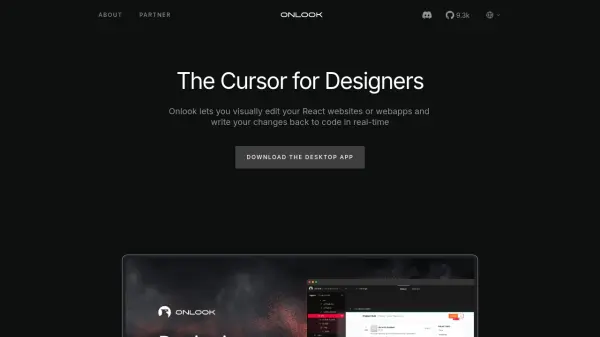
Onlook provides a visual interface for editing React websites and web applications, streamlining the frontend development process. It allows users to make direct manipulations to UI elements such as layouts, colors, typography, padding, and margins, similar to design tools like Figma. Changes made visually are translated into reliable code and written back to the appropriate project files in real-time, specifically supporting projects styled with Tailwind CSS.
Incorporating AI capabilities, Onlook enables users to prompt the AI to build, design, and experiment with website ideas and interactions, going beyond static design to create interactive frontend components. The tool operates locally, ensuring that all code remains on the user's machine for enhanced security and privacy. Users can either import their existing React projects into Onlook or start new projects directly within the application, maintaining full ownership and control over their codebase and version control practices.
Features
- Visual React Editing: Directly edit React websites and webapps visually with real-time feedback.
- AI-Powered Frontend Building: Utilize AI prompts to generate, design, and experiment with UI components and interactions.
- Real-time Code Generation: Automatically writes design changes back into the React codebase.
- Figma-Style Interface: Offers familiar design tools for adjusting layouts, typography, colors, spacing, and borders.
- Tailwind CSS Compatibility: Works seamlessly with React projects styled using Tailwind CSS.
- Design System Integration: Supports using existing design systems, custom variables, and components.
- Local-First Operation: Ensures all code remains on the user's local machine for security.
- Project Flexibility: Import existing React projects or start new ones within Onlook.
- Open Source Access: Provides access to the GitHub repository for transparency.
Use Cases
- Visually editing and styling React websites and applications without manual coding.
- Using AI prompts to accelerate frontend development and design exploration.
- Bridging the design-to-development workflow for React projects.
- Modifying UI elements like layouts, styles, text, and spacing directly on the webpage.
- Applying and managing design system styles (colors, text, variables) visually.
- Rapid prototyping and iterating on React frontend designs.
- Collaborating between designers and developers on React UIs.