What is onelineplayer?
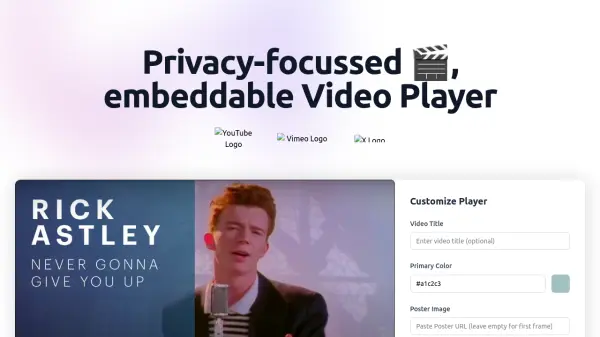
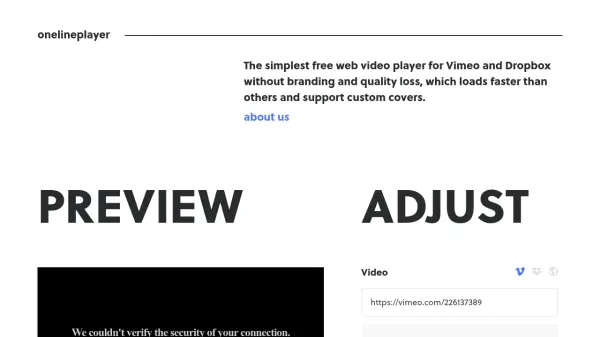
Onelineplayer is a web-based video player designed to provide a clean, high-quality embedding solution for videos from Vimeo, Dropbox, or direct URLs. It eliminates branding, reduces loading times, and maintains video quality, making it ideal for professional presentations. The tool supports various video formats and offers customization features like autoplay, loop, and GIF mode.
Users can adjust player styles, add high-quality preview images, and embed videos without coding. It is free to use and created by enthusiasts to address common issues with traditional video players, focusing on simplicity and performance for websites, portfolios, and social media.
Features
- No Branding: Player displays without any external branding or logos
- Quality Preservation: Maintains original video quality without compression
- Fast Loading: Optimized for quick video loading compared to other players
- Custom Covers: Allows addition of high-quality preview images for faster loading
- Customization Options: Includes settings for autoplay, loop, mute, GIF mode, and player style adjustments
- Multiple Sources: Supports videos from Vimeo, Dropbox, and direct URLs
- Responsive Design: Player adapts to different screen sizes and devices
- Free to Use: No cost for basic video embedding and customization features
Use Cases
- Embedding videos on personal or business websites
- Showcasing video portfolios for artists or designers
- Sharing videos on social media platforms with custom players
- Presenting product demos or tutorials on e-commerce sites
- Displaying video content in educational or training materials
- Integrating videos into marketing campaigns without branding
FAQs
-
What video sources does onelineplayer support?
Onelineplayer supports videos from Vimeo, Dropbox, and direct URLs to video files. -
Is onelineplayer free to use?
Yes, onelineplayer is completely free with no subscription fees. -
Does onelineplayer require coding skills to use?
No, onelineplayer is designed for ease of use without any coding required. -
What video formats are supported by onelineplayer?
Supported formats include .webm, .ogg, .mp4, and .mov. -
Can I customize the player's appearance?
Yes, onelineplayer offers customization options for play button, color overlay, shadow, and more.