OmoType favicon

OmoType
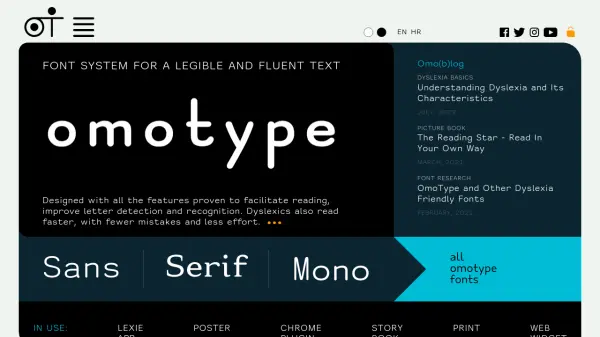
A dyslexia-friendly font system for legible and fluent text

What is OmoType?

OmoType is a specialized font system engineered with features that have been proven to facilitate reading, improve letter detection and recognition, and reduce reading errors. It is particularly beneficial for individuals with dyslexia, enabling them to read faster and with less effort. The system includes various font styles such as Sans, Serif, and Mono, all optimized for enhanced legibility.

The fonts are designed to support multiple applications, including web widgets, print materials, storybooks, posters, and browser plugins. OmoType is part of a broader ecosystem that includes tools like the Readable Widget and platforms such as OmoGallery, all aimed at improving text accessibility and readability across different media.

Features

  • Dyslexia-Friendly Design: Enhances readability and reduces errors for individuals with dyslexia
  • Multiple Font Styles: Includes Sans, Serif, and Mono fonts optimized for legibility
  • Wide Application Support: Usable in web widgets, print, storybooks, posters, and browser plugins
  • Proven Effectiveness: Features proven to facilitate reading and improve letter recognition

Use Cases

  • Improving readability for individuals with dyslexia
  • Enhancing text legibility in educational materials
  • Optimizing web content for better accessibility
  • Creating print materials with improved font clarity
  • Developing storybooks with dyslexia-friendly fonts

Related Tools:

Blogs:

  • Top 6 AI note-taking tools for 2026: in-person, online, and hybrid use cases

    Top 6 AI note-taking tools for 2026: in-person, online, and hybrid use cases

    Most AI note-taking lists are really lists of meeting bots, which join your video call and transcribe it. That's useful, but it's half the picture. Decisions happen in hallway conversations, client dinners, on-site visits, and hybrid rooms where nobody is on a video link. This guide covers different parts of the note-taking workflow: hardware capture for in-person settings, platform-native tools for online calls, and AI layers for organizing and synthesizing what you've captured. It compares six tools by capture context, workflow fit, pricing, and limitations.

  • Best AI Tools For Startups

    Best AI Tools For Startups

    we've compiled a straightforward list of user-friendly AI tools designed to give startups a boost. Discover practical solutions to streamline everyday tasks, enhance productivity, and gain valuable insights without the need for a tech expert. Learn where and how these tools can be applied in your startup journey, from automating repetitive tasks to unlocking powerful data analysis. Join us as we explore the features that make these AI tools accessible and beneficial for startups in various industries. Elevate your business with technology that works for you!

  • Chat with PDF AI Tools

    Chat with PDF AI Tools

    Easily interact with your PDF documents using our advanced AI-powered tool. Whether you're reading lengthy reports, research papers, contracts, or eBooks, our platform lets you chat directly with your PDF files, ask questions, extract insights, and get summaries in real-time.

Didn't find tool you were looking for?

Be as detailed as possible for better results