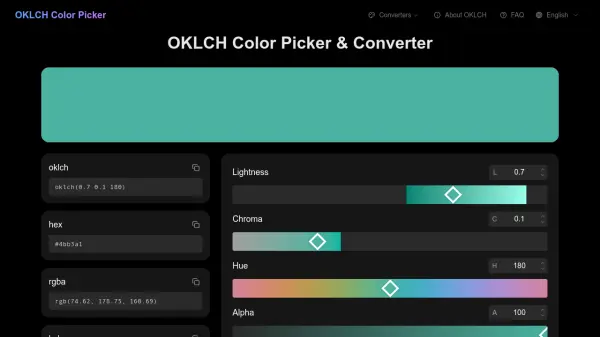
What is OKLCH Color Picker?
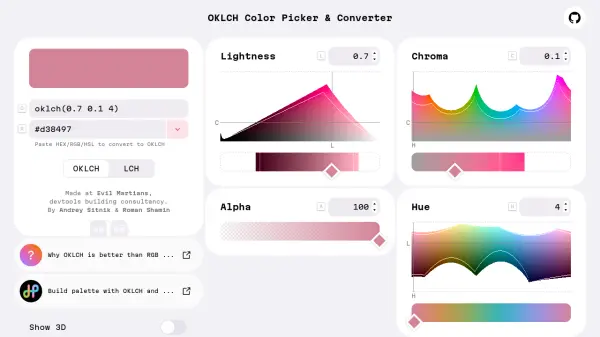
OKLCH Color Picker is an advanced tool designed for modern web design, leveraging the OKLCH color space which stands for OK Lightness, Chroma, and Hue. Developed by Björn Ottosson in 2020, this color space is built on human vision principles, ensuring that equal numerical changes produce equal perceptual changes. This makes it superior to traditional RGB or HSL systems for creating consistent and accessible designs.
The tool provides a comprehensive interface for selecting, converting, and managing colors across different formats including HEX, RGB, HSL, and OKLCH. It supports wide gamut color spaces like P3 and Rec2020, allowing users to take full advantage of modern display technologies while automatically providing fallbacks for standard screens. With features like automatic URL updates for sharing colors and real-time conversion between formats, it streamlines the workflow for designers and developers.
Features
- Color Picker: Intuitive sliders for Lightness, Chroma, Hue, and Alpha controls
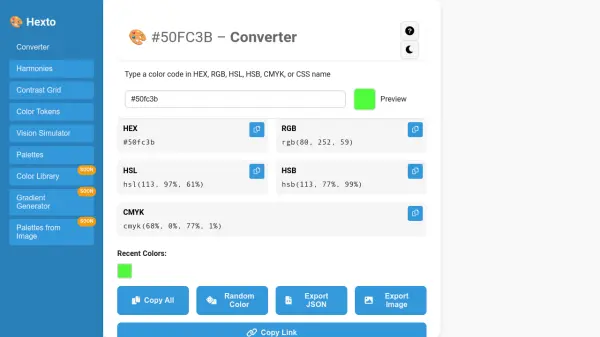
- Format Conversion: Automatic conversion between OKLCH, HEX, RGB, and HSL formats
- Wide Gamut Support: Compatibility with sRGB, P3, and Rec2020 color spaces
- Accessibility Tools: Features for ensuring WCAG compliance and predictable contrast ratios
- URL Sharing: Automatic URL updates for bookmarking and sharing specific colors
Use Cases
- Creating harmonious color palettes for web design
- Ensuring accessibility compliance with WCAG standards
- Designing for modern displays with wide gamut support
- Converting colors between different formats for development workflows
- Sharing color configurations with team members or clients
FAQs
-
How does OKLCH compare to HSL for color manipulation?
OKLCH offers true perceptual uniformity, meaning lightness remains consistent across hues, unlike HSL where lightness varies with hue and saturation behaves unpredictably. -
What should I do if a color shows as 'unavailable' in the picker?
This indicates the color is outside your display's capability; use the 'Fallback' button to select a displayable approximation, and the tool automatically provides sRGB fallbacks. -
Can I use OKLCH colors in all web browsers?
OKLCH is supported in modern browsers like Chrome 111+, Firefox 113+, Safari 15.4+, and Edge 111+; for older browsers, provide fallback colors in RGB or HEX format. -
How do I create accessible color combinations with OKLCH?
Set the desired hue, then adjust lightness to meet WCAG contrast requirements; OKLCH's perceptual uniformity ensures colors with the same lightness have similar perceived brightness. -
What are the benefits of using wide gamut color spaces like P3?
P3 and Rec2020 offer more vibrant colors than sRGB, with P3 providing 25% more colors common in Apple devices, enhancing visual appeal on modern displays.