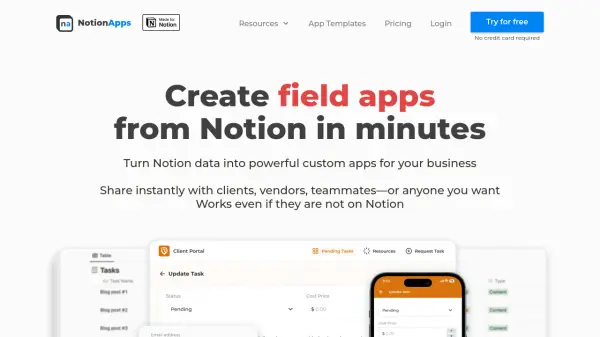
What is NotionApps?
NotionApps is a no-code platform designed for businesses and professionals who utilize Notion to seamlessly create custom web applications from their Notion pages and databases. With an intuitive drag-and-drop builder, users can turn their Notion data into powerful, branded apps and portals tailored to their workflows, all without the need for programming skills.
Supporting secure logins, responsive design across devices, and granular data permissions, NotionApps keeps your information synchronized in real-time between apps and Notion. Apps are instantly shareable via unique links, accessible even by those who don't use Notion. The platform offers customization, integrations, multilingual support, and privacy-first data handling, making it ideal for building client portals, membership directories, task trackers, CRMs, and more.
Features
- Drag-and-Drop App Builder: Easily design apps with an intuitive visual interface and live preview.
- Two-Way Notion Sync: Real-time synchronization between apps and Notion databases.
- Responsive Design: Apps adapt seamlessly to desktop, tablet, and mobile devices.
- Secure User Login: Multiple login options including one-time access codes and Google authentication.
- Granular Data Permissions: Configure row-level data access for different users and screens.
- Custom Branding: Personalize app icon, theme, name, and URL for your brand identity.
- Form Support: Build custom forms for adding or updating Notion database entries.
- Localization: Automatic language detection and support for 15+ languages.
- Direct Integrations: Connect tools like Google Login, Crisp, Intercom, and SSO providers.
- PWA Support: Apps installable on Android and iOS home screens for a native-like experience.
Use Cases
- Create secure client portals for project, resource, and invoice management.
- Build membership directories and portals with personalized content.
- Develop task trackers for teams to manage projects, deadlines, and workflows.
- Facilitate field operations with data collection and inspection apps for remote teams.
- Enable inventory management with tools to scan products and monitor stock.
- Implement CRM solutions to track sales funnels, leads, and customer interactions.
- Provide student portals for courses, progress tracking, and assignment submissions.
- Publish searchable and filterable resource directories, such as product or personnel lists.
FAQs
-
Is there a free trial available?
Yes, NotionApps offers a 14-day free trial on paid plans with no credit card required. -
Do you provide discounts for non-profits or educational use?
A 30% discount is available for students, non-profits, and educational institutions. Contact support to request this discount. -
Is NotionApps affiliated with Notion?
No, NotionApps is not affiliated with Notion and leverages Notion's public APIs to enhance your experience. -
What are app users?
App users are unique individuals who can log in to your created apps each month, counted per unique email address. -
Do you offer an affiliate program?
Yes, NotionApps has an affiliate program offering a 30% commission on all referred payments within the first 12 months.