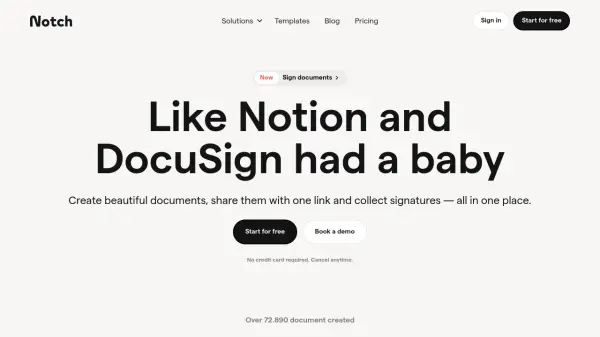
What is Notch?
Notch is a web-based platform designed for seamless creation, sharing, and execution of proposals, contracts, and actionable documents. Featuring a Notion-inspired editor with drag-and-drop blocks, users can build interactive documents, embed rich media, and customize dynamic variables effortlessly.
The platform further elevates client workflows by integrating legally binding e-signatures, supporting real-time notifications, secure sharing, and compliant audit trails. Teams benefit from advanced organization tools, custom branding, CRM integrations, and robust client onboarding—all within a collaborative, mobile-responsive environment.
Features
- Notion-Like Editor: Drag-and-drop interface with building blocks for intuitive content creation.
- Legally Binding E-signatures: Collect compliant electronic signatures directly within documents.
- Custom Templates: Start from proven templates or create and reuse your own for consistency.
- Rich Media Embedding: Embed images, videos, external tools, and files for enhanced engagement.
- Custom Domains: Host documents on your own domain with CNAME support for professional branding.
- Real-Time Notifications: Receive alerts when documents are opened, viewed, or signed.
- Access Management: Control sharing through magic links, gated access, or recipient verification.
- Advanced Organization: Organize documents in private or team lists, use filters and properties.
- CRM and Productivity Integrations: Connect with Hubspot, Slack, Salesforce, Google Drive, and more.
- Mobile Responsiveness: Documents are optimized for seamless viewing and signing on any device.
Use Cases
- Drafting, sharing, and signing client-facing contracts
- Creating and managing proposals for sales teams and freelancers
- Onboarding clients through interactive, guided document flows
- Organizing and securing important agreements within a team
- Embedding media and resources in documents for richer presentations
- Managing client communications through integrated chat
- Utilizing analytics to improve follow-ups and close deals faster
- Exporting agreements as PDFs for offline storage and sharing
FAQs
-
What is Notch?
Notch is a web-based document editor designed to create, share, and execute contracts and offers with ease, combining Notion-like creation tools with actionable features such as e-signatures and payment collection. -
How is Notch different from PandaDoc?
Unlike PandaDoc, Notch focuses on simplicity and actionability, combining intuitive document creation with robust signing and payment features ideal for service-based teams, freelancers, and agencies. -
How is Notch different from DocuSign?
Notch offers integrated document editing and execution, while DocuSign primarily focuses on digital signatures without editing capabilities. -
Is there a free version of Notch?
Yes, Notch offers a free plan with basic features, including unlimited signatures and up to 5 spaces. -
Does Notch support integrations?
Yes, Notch integrates with CRM and productivity tools such as Hubspot, Slack, Salesforce, Google Drive, and more.