What is NimbleText?
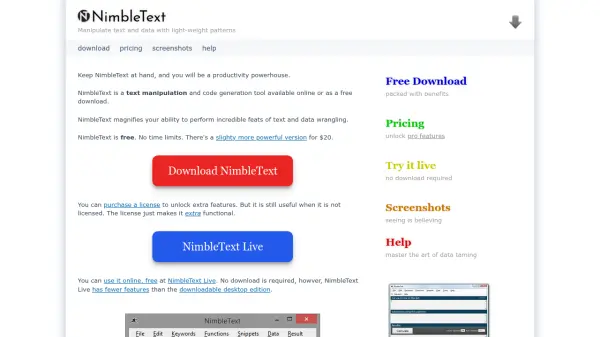
NimbleText is a text manipulation and code generation tool designed to enhance productivity by automating repetitive editing and data processing tasks. It is available as a free online version or a downloadable desktop edition, with the latter offering additional professional features for advanced users. The tool leverages patterns to perform complex text transformations without requiring knowledge of regular expressions, making it accessible for various applications such as generating SQL statements, formatting code, and cleaning data.
Users can benefit from its ability to handle tasks like adding prefixes or suffixes, changing text case, removing symbols, and summarizing content. The desktop version includes filters for selective manipulation, command-line automation, and versatile date formatting, catering to professionals in software development, database management, and data analysis. NimbleText aims to reduce drudgery and increase efficiency in text and data manipulation workflows.
Features
- Pattern-Based Manipulation: Uses light-weight patterns to transform text and data without needing regular expressions
- Code Generation: Generates code in various languages like JavaScript, C#, Java, and Ruby from text inputs
- SQL Statement Creation: Quickly creates SQL insert and update statements from data sources like Excel files
- Data Filtering: Includes filters ('where' clauses) in the pro version for selective text manipulation
- Command-Line Automation: Allows full automation of tasks from the command-line in the desktop edition
- Versatile Formatting: Supports date formatting and other transformations for handling messy data
Use Cases
- Generating SQL statements from spreadsheet data
- Transforming column names into class definitions for software development
- Cleaning and formatting text data for analysis
- Automating repetitive code assignments in programming
- Adding prefixes or suffixes to multiple lines of text
- Changing text case and removing symbols like smart quotes
- Comparing lists using the companion tool NimbleSET
FAQs
-
What is the difference between NimbleText Live and the downloadable version?
NimbleText Live is the free online version with fewer features, while the downloadable desktop edition offers additional professional features like filters and command-line automation. -
Does NimbleText require knowledge of regular expressions?
No, NimbleText uses patterns to manipulate text without requiring users to know regular expressions, making it accessible for all skill levels. -
What languages can NimbleText generate code in?
NimbleText can generate code in various languages including JavaScript, C#, Java, and Ruby, as well as SQL statements. -
Is there a refund policy for NimbleText purchases?
Yes, NimbleText offers a 90-day money-back guarantee with a full refund if you are not satisfied, no questions asked. -
Can NimbleText handle date formatting?
Yes, NimbleText includes versatile date formatting features to assist with data manipulation tasks, especially in the desktop version.