NekoCap
Open-source browser extension for viewing and creating video captions

What is NekoCap?

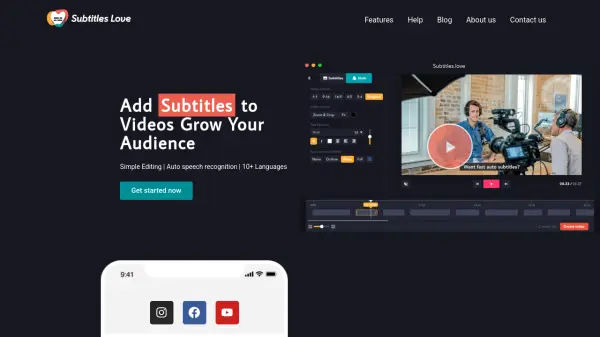
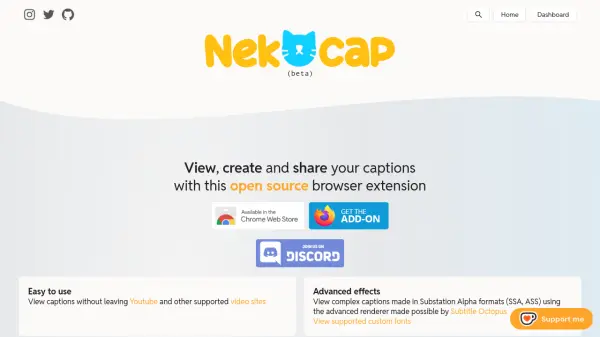
NekoCap is an open-source browser extension designed to enhance video accessibility and customization through caption management. It allows users to view captions directly on supported video platforms without leaving the page, supporting various formats including SSA, ASS, SRT, VTT, and SBV. The extension includes an advanced renderer for complex captions and custom fonts, making it suitable for professional and creative applications.

Users can create captions using the built-in editor with features like manual positioning and keyboard shortcuts, or import existing captions from tools like Aegisub or SubtitleEdit. The platform fosters a community where users can browse, share, and discover captions across multiple languages, enhancing global video content engagement.

Features

  • Advanced Renderer: Supports complex captions in Substation Alpha formats (SSA, ASS) with custom fonts
  • Built-in Editor: Create captions directly on video pages with manual positioning and keyboard shortcuts
  • Format Support: Import and export captions in SSA, ASS, SRT, VTT, and SBV formats
  • Community Sharing: Browse and share captions created by users across multiple languages

Use Cases

  • Adding subtitles to YouTube videos for accessibility
  • Creating multilingual captions for international content
  • Editing and positioning captions for professional video projects
  • Sharing custom captions with online communities

Related Tools:

Blogs:

  • Top 6 AI note-taking tools for 2026: in-person, online, and hybrid use cases

    Top 6 AI note-taking tools for 2026: in-person, online, and hybrid use cases

    Most AI note-taking lists are really lists of meeting bots, which join your video call and transcribe it. That's useful, but it's half the picture. Decisions happen in hallway conversations, client dinners, on-site visits, and hybrid rooms where nobody is on a video link. This guide covers different parts of the note-taking workflow: hardware capture for in-person settings, platform-native tools for online calls, and AI layers for organizing and synthesizing what you've captured. It compares six tools by capture context, workflow fit, pricing, and limitations.

  • Ghibli Art Generator AI tools

    Ghibli Art Generator AI tools

    List of the best AI tools to turn your photos into images that look like Studio Ghibli movies. Easy to use and fun for everyone.

  • Chat with PDF AI Tools

    Chat with PDF AI Tools

    Easily interact with your PDF documents using our advanced AI-powered tool. Whether you're reading lengthy reports, research papers, contracts, or eBooks, our platform lets you chat directly with your PDF files, ask questions, extract insights, and get summaries in real-time.

  • AI thumbnail maker tools

    AI thumbnail maker tools

    Automatically generate visually appealing and optimized thumbnails for various digital content, streamlining the design process and enhancing visual engagement

Didn't find tool you were looking for?

Be as detailed as possible for better results