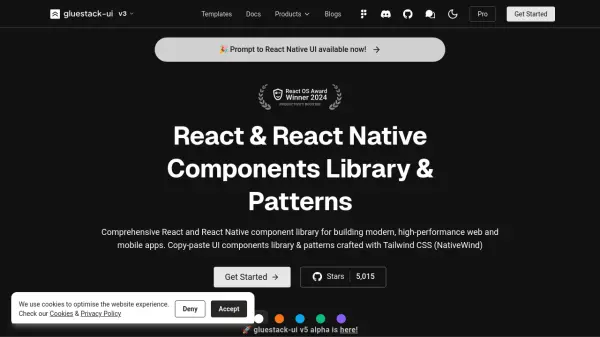
What is NativeBase?
NativeBase is a comprehensive component library designed for React and React Native development, offering nearly 40 components to streamline UI creation. It provides copy-paste components and patterns that ensure flexibility and customizability, enabling developers to build responsive applications with ease. The library supports utility props inspired by Styled System, allowing rapid customization of UI components with constraint-based styling.
With built-in accessibility features powered by React Native ARIA, NativeBase ensures keyboard interactions, screen reader compatibility, and appropriate contrast ratios. It includes dark mode optimization, themeability for colors, sizing, and typography, and responsiveness through object and array values. The library is consistent across web, Android, and iOS, making it a versatile tool for cross-platform development.
Features
- Utility Props: Rapidly build custom UI components with constraint-based utility style props
- Accessibility: Powered by React Native ARIA for keyboard interactions, screen readers, and contrast ratios
- Themeability: Customize app themes and component styles for colors, sizing, and typography
- Responsiveness: Use object and array values to add responsive styles easily
- Dark Mode: Optimized for light and dark modes with built-in support
- Component Library: Nearly 40 components including action sheets, menus, spinners, and popovers
- Cross-Platform: Consistent across Web, Android, and iOS with universal components
Use Cases
- Building responsive mobile applications with React Native
- Creating consistent web interfaces using React components
- Developing accessible apps with keyboard and screen reader support
- Customizing UI themes and styles for branding purposes
- Implementing dark mode in applications without extra configuration
- Rapid prototyping with copy-paste components and patterns
- Integrating design systems with Figma kits for seamless workflow
FAQs
-
What platforms does NativeBase support?
NativeBase supports web, Android, and iOS platforms, providing universal components for consistent UI development. -
How does NativeBase handle accessibility?
NativeBase uses React Native ARIA to provide keyboard interactions, screen reader support, and contrast ratio management for accessible apps. -
Can I customize themes in NativeBase?
Yes, NativeBase offers extensive themeability for colors, sizing, and typography, allowing full customization of app themes and component styles. -
Does NativeBase include pre-built components?
NativeBase includes nearly 40 pre-built components such as buttons, forms, menus, and spinners to speed up development. -
Is there support for dark mode in NativeBase?
Yes, NativeBase is optimized for both light and dark modes, making it easy to implement dark mode in applications.