What is MyOwnConference?
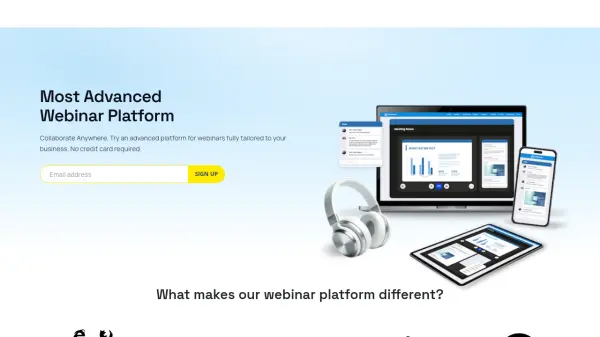
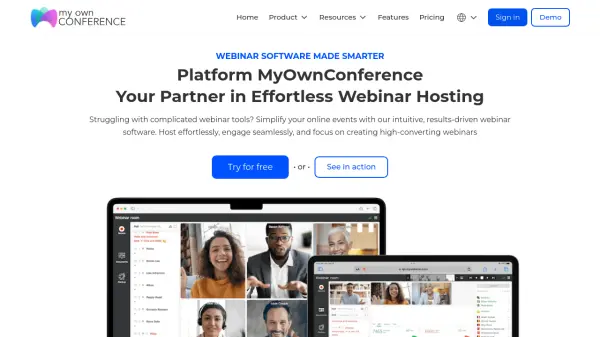
MyOwnConference is an advanced webinar solution designed to streamline the process of creating and hosting professional online events. This browser-based platform integrates automation, interactive polling, high-quality streaming, and extensive branding options, allowing users to deliver fully custom and engaging webinars. With capabilities such as automated and live webinars, video conferencing, secure screen sharing, and detailed analytics, it ensures that hosts can analyze trends, capture feedback, and optimize future sessions to maximize impact.
Users can benefit from customizable registration, seamless integrations, and easy scheduling, supporting both live interactions and on-demand access for global audiences. MyOwnConference prioritizes security and privacy, offering encrypted sessions and robust permission controls to safeguard data. Suitable for teams, educators, marketers, and corporate users, it provides scalable subscription plans and daily access options to fit diverse business needs.
Features
- Automated Webinars: Schedule and run pre-recorded webinars with automated attendee interaction.
- Live Webinars: Host real-time video events with instant audience engagement tools.
- Video Conferencing: Conduct remote meetings and training sessions with seamless communication.
- Branding Customization: Personalize webinars with colors, logos, banners, and custom themes.
- Interactive Polls and Surveys: Collect and analyze attendee feedback live.
- Smart Recording: Record, edit, and share webinars in high-quality MP4 formats.
- Secure Streaming: Utilize advanced encryption and bypass WebRTC restrictions for protected sessions.
- Webinar Analytics: Access detailed performance analytics to refine marketing and engagement.
- Screen Sharing: Share your desktop or app windows safely with your audience.
- No Downloads Required: Host and join webinars directly in-browser across multiple devices.
Use Cases
- Hosting marketing webinars to capture sales leads.
- Running remote employee or client training sessions.
- Delivering virtual conferences or large-scale online events.
- Providing online education courses with live or automated delivery.
- Conducting product demos and interactive workshops.
- Facilitating team meetings and internal corporate communications.
- Organizing legal, recruiting, or real estate webinars for industry professionals.
FAQs
-
How is the participant limit distributed in the pricing plan?
The participant limit in your pricing plan is shared across all webinars you host simultaneously. If multiple events run at once, the total participant capacity is divided among them. You can manage capacity settings per session or let the system allocate them evenly. -
What are the differences between each pricing plan?
MyOwnConference offers Free, Business, and Enterprise plans. The Free plan provides essential webinar features for exploration or small-scale use. Business plans offer more flexibility, advanced features, and capacity, ideal for frequent professional use. Enterprise includes all business features plus personalized onboarding, integrations, and dedicated support for large organizations. -
Do you offer pricing per event?
Although there’s no strict per-event pricing, users can select daily, monthly, or annual plans. The daily (one-day pass) option provides full access for 24 hours, ideal for occasional events or platform testing. -
Are there limits on the number of monthly events?
No, there are no restrictions on the number of webinars you can host per month across all plans, allowing complete scheduling freedom. -
Can webinars be customized with my company branding?
Yes, the platform enables users to personalize event layouts, color schemes, and upload brand assets such as logos and banners for a consistent branded experience.