Mixvibes favicon

Mixvibes
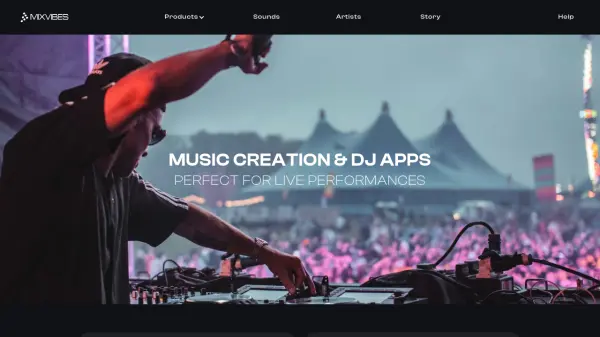
Music Creation & DJ Apps Perfect for Live Performances

What is Mixvibes?

Mixvibes provides a suite of music creation and DJ applications that leverage artificial intelligence to enhance live performances and beat production. The platform includes tools like Remixlive, which features noise engineering and shimmer reverbs, and Cross DJ, which has undergone a complete overhaul for improved functionality.

These apps are tailored for making music and beats, with support for hardware integrations such as the Xone:K2 with Remixlive. Mixvibes also offers sound packs and resources to assist artists and DJs in their creative processes.

Features

  • Remixlive: Noise engineering and shimmer reverbs for music creation
  • Cross DJ: Complete overhaul for improved DJ performance
  • Hardware Integration: Compatible with devices like Xone:K2
  • Sound Packs: Resources for music production and beat-making

Use Cases

  • Live DJ performances
  • Music beat creation
  • Sound engineering and effects processing
  • Hardware-assisted music production
Helpful for people in the following professions

Related Tools:

Blogs:

  • Best text to speech AI tools

    Best text to speech AI tools

    Text-to-speech (TTS) AI tools are designed to convert written or text-based content into natural-sounding spoken audio. These tools utilize various deep learning and neural network architectures to generate human-like speech from textual input.

  • Ghibli Art Generator AI tools

    Ghibli Art Generator AI tools

    List of the best AI tools to turn your photos into images that look like Studio Ghibli movies. Easy to use and fun for everyone.

  • Top 6 AI note-taking tools for 2026: in-person, online, and hybrid use cases

    Top 6 AI note-taking tools for 2026: in-person, online, and hybrid use cases

    Most AI note-taking lists are really lists of meeting bots, which join your video call and transcribe it. That's useful, but it's half the picture. Decisions happen in hallway conversations, client dinners, on-site visits, and hybrid rooms where nobody is on a video link. This guide covers different parts of the note-taking workflow: hardware capture for in-person settings, platform-native tools for online calls, and AI layers for organizing and synthesizing what you've captured. It compares six tools by capture context, workflow fit, pricing, and limitations.

Didn't find tool you were looking for?

Be as detailed as possible for better results