What is Meshy?
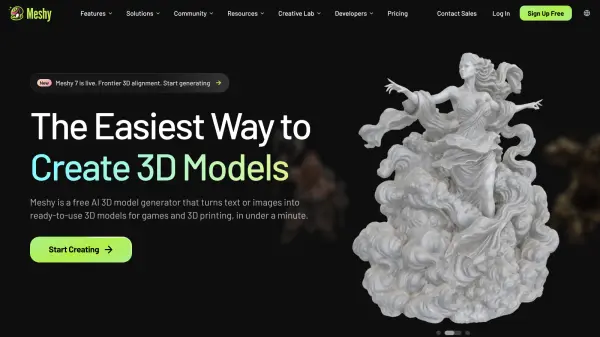
Meshy is an AI-powered 3D model generator that converts text prompts, photos, sketches, and concept art into ready-to-use 3D assets in under a minute. It can generate realistic PBR textures, multi-view reference images, low-poly models, and printable objects without requiring prior 3D modeling experience.
The platform supports automatic character rigging, more than 600 motion presets, printability checks, model repair, multi-color printing, and model splitting. Generated assets can be exported in common formats and used with software such as Blender, Unity, Unreal Engine, Maya, Godot, Bambu Studio, and OrcaSlicer.
Features
- Text to 3D: Generates 3D models from written descriptions in under a minute.
- Image to 3D: Converts photos, sketches, and concept art into matching 3D assets.
- AI Texturing: Creates PBR texture sets with albedo, normal, metallic, and roughness maps, including optional 4K detail.
- Auto-Rigging and Animation: Rigs humanoid and quadruped characters and provides more than 600 motion presets.
- 3D Printing Preparation: Produces watertight, manifold models with printability checks, automatic repair, multi-color mapping, and model splitting.
- Low Poly Mode: Creates clean topology with a user-controlled polygon count for real-time projects.
- 3D Agent: Helps brainstorm concepts, transform 2D ideas into 3D models, and answer 3D creation and printing questions.
- Plugins and Integrations: Connects with tools including Blender, Unity, Unreal Engine, Maya, Godot, Bambu Studio, and OrcaSlicer.
Use Cases
- Create game-ready characters, props, and environment assets for playtesting.
- Generate watertight models and miniatures for FDM or resin 3D printing.
- Produce rigged and animated characters for 3D animation projects.
- Develop product concepts and industrial design visualizations.
- Create assets for film production, visual effects, and VR or AR experiences.
- Build 3D objects for education, interior design, toy design, and e-commerce.
- Apply realistic PBR textures to existing 3D models.
How It Works
Provide an Idea or Image
Enter a text description or upload a photo, sketch, or concept image. Users can also chat with the 3D Agent to develop an idea.
Generate the 3D Model
Meshy processes the input and creates a matching 3D asset, typically in under a minute.
Refine the Asset
Add PBR textures, control polygon count with Low Poly Mode, or auto-rig and animate supported characters.
Prepare for the Target Workflow
Use printability checks and automatic repair for 3D printing, or optimize the asset for games, animation, product design, and other projects.
Export the Model
Download the model in a supported format or send it to compatible 3D software, game engines, and slicing applications.
FAQs
-
Which 3D file formats does Meshy support?
For AI texturing uploads, Meshy supports FBX, OBJ, STL, GLTF, and GLB files, with one model per upload and a 50 MB web app limit. Text-to-3D and image-to-3D models can be downloaded as FBX, OBJ, USDZ, GLB, STL, and BLEND files. -
Can generated assets be used commercially?
Yes. Premium users own the assets they create, provided their source materials do not violate third-party copyrights. Free-plan assets are licensed under CC BY 4.0 and require attribution. -
Can users sell models created with Meshy?
Yes. Premium subscribers can distribute and sell their models with full rights. Free users may also sell generated models but must credit Meshy on the commercial page. -
How do Meshy credits work?
Credits are internal tokens used to submit generation tasks or tip other creators. Monthly credits reset each month, while purchased or earned permanent credits do not expire. -
How is user data protected?
Web app data is securely stored with Amazon Web Services in the United States. Meshy states that it does not share user data or use it for training without consent.