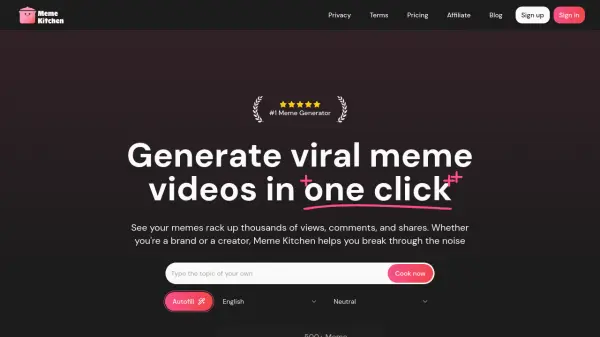
What is Meme Kitchen?
Meme Kitchen utilizes artificial intelligence to help users create engaging meme videos effortlessly. Designed for brands, creators, and marketers, it simplifies the process of producing content known for high shareability on social media platforms. The tool aims to increase visibility, engagement, and follower growth by tapping into the viral nature of memes.
Users can input a topic, and the AI suggests relevant meme videos instantly. These suggestions can be customized or used as they are. Meme Kitchen supports posting and scheduling content across various platforms, including YouTube, TikTok, Instagram, Facebook, LinkedIn, and X (formerly Twitter), streamlining the content distribution process.
Features
- AI-Powered Meme Generation: Get instant meme video suggestions based on your topic.
- Extensive Meme Library: Access the most popular and trending memes.
- One-Click Creation: Generate memes quickly and easily.
- Social Post Scheduler: Autopost and schedule clips to YouTube, TikTok, Instagram, Facebook, LinkedIn, and X.
- Batch Export: Download multiple video memes at once.
- Caption Creation Credits: Generate captions for memes (quantity varies by plan).
- Watermark-Free Exports: Available on paid plans.
- Performance Insights: Track meme performance (coming soon on Starter+ plans).
- API Access: Basic and Advanced API options available for automation (on Starter+ plans).
Use Cases
- Increasing social media engagement for brands.
- Growing follower counts for content creators.
- Generating leads and sales through viral marketing.
- Simplifying content creation for social media managers.
- Boosting online presence for influencers and small businesses.
- Creating shareable content quickly for marketing campaigns.
FAQs
-
What kind of memes can I create with Meme Kitchen?
You can create meme videos based on popular and trending meme formats, customized with your own topics and captions. -
Can I customize the captions and videos?
Yes, Meme Kitchen allows you to customize the suggested meme videos and captions before posting or downloading. -
What social media platforms are supported for scheduling?
Supported platforms include YouTube, TikTok, Instagram, Facebook, LinkedIn, and X (formerly Twitter). -
Will using Meme Kitchen guarantee that my video goes viral?
While Meme Kitchen helps create content with high viral potential by using popular meme formats, virality depends on various factors and cannot be guaranteed. -
Who should use Meme Kitchen?
Meme Kitchen is designed for brands, creators, social media managers, digital marketers, influencers, small business owners, and anyone looking to increase their social media engagement and growth using memes.