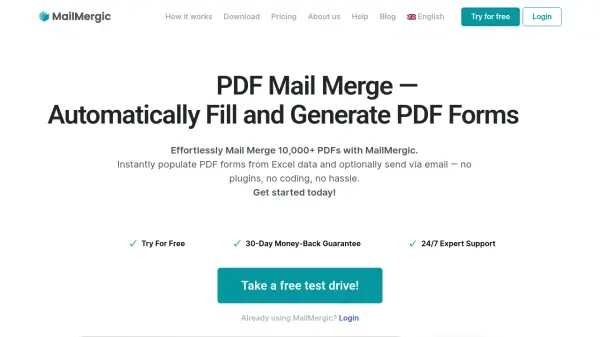
What is MailMergic?
MailMergic automates document creation by enabling users to populate PDF forms from Excel data without plugins or coding. The platform offers a user-friendly interface with zero learning curve, allowing seamless integration into existing workflows. It supports various data sources including Excel, Google Sheets, and CSV files, automatically detecting columns for immediate use.
An AI model within MailMergic detects and corrects errors before they occur, preventing mistakes that could lead to lost sales or reputational damage. The tool provides options for cloud-based processing with GDPR compliance through EU servers or offline processing for maximum data security in regulated environments like healthcare and finance. Users can generate thousands of personalized PDFs and optionally send them via email with customized subjects and attachments.
Features
- PDF Mail Merge: Automatically populate PDF forms from Excel, Google Sheets, or CSV data
- AI Error Detection: AI model detects and corrects errors before document generation
- Email Automation: Send personalized emails with PDF attachments directly from the tool
- Offline Processing: Local installation option for maximum data security without cloud storage
- Zapier Integration: Connect with 6,000+ apps for automated workflows
- Reusable Templates: Save PDF templates with placeholders and settings for repeated use
- Custom File Names: Define individual PDF file names using placeholder variables
Use Cases
- Generate personalized contracts and agreements for legal services
- Create customized invoices and financial reports for accounting departments
- Produce graduation certificates and progress reports for educational institutions
- Streamline property agreements and documentation for real estate agencies
- Simplify patient forms and records for healthcare organizations
- Automate donor communications for non-profit organizations
- Create personalized HR documents and employment contracts
FAQs
-
How does MailMergic handle data security and privacy?
MailMergic offers both cloud-based processing with GDPR compliance through EU servers and an offline app that processes all documents locally with no cloud connection, suitable for HIPAA and PCI compliance needs. -
What happens to my documents after processing?
MailMergic stores uploaded files and merged PDFs for up to 7 days for download access, after which everything is automatically deleted. Users can also permanently delete any file immediately at any time. -
Can I use MailMergic for Word documents as well as PDFs?
Yes, MailMergic supports mail merging for both PDF and Word documents, allowing users to create personalized documents from templates in multiple formats. -
What happens if I exceed my monthly PDF limit?
The number of generated PDF documents is limited based on your selected plan, with quotas resetting every month. Users would need to upgrade their plan or wait for the next billing cycle if they exceed their limit.