What is MailerQ?
MailerQ is a state-of-the-art email delivery engine built as a high-performance on-premise Mail Transfer Agent (MTA) for handling massive email volumes. It focuses on performance, ease-of-use, and insights to help serious senders maintain and improve their sender reputation and deliverability rates.
The platform includes an intuitive Management Console for real-time monitoring, REST API integration, and advanced features like email throttling, feedback processing, IP warm-up, and comprehensive authentication support. MailerQ is trusted by various organizations including Email Service Providers, e-commerce platforms, banks, and government institutes for its reliability and powerful email delivery capabilities.
Features
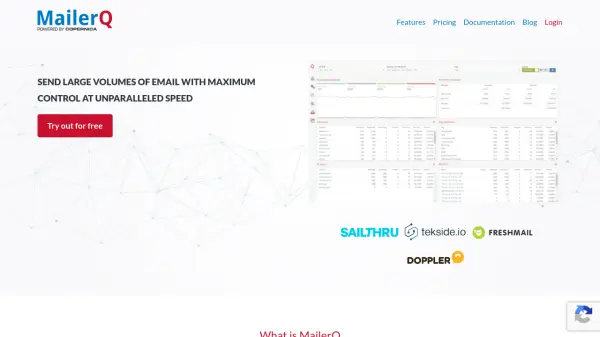
- Real-time monitoring: The management console provides insights into delivery attempts, queues, error logs, and performance metrics per MTA, IP, target, customer, campaign, or message type.
- Advanced volume control: Email throttling allows users to adjust sending speed by specifying maximum message volumes, connection numbers, timeouts, and other parameters per inbox provider.
- Feedback processing: Response patterns classify bounces, process feedback loops, and adapt MTA behavior based on server responses to maximize deliverability and sender reputation.
- IP Warm-up: Email throttle schedules define warm-up trajectories by creating schedules that specify delivery rates for each day to optimize new IP addresses.
- Authentication & security: Supports DKIM, SPF, DMARC, TLS, and ARC methods for email authentication to ensure secure and compliant email delivery.
Use Cases
- Sending high-volume email campaigns for marketing purposes
- Managing email deliverability for e-commerce platforms
- Handling transactional emails for banks and financial institutions
- Improving sender reputation for Email Service Providers
- Monitoring and controlling email queues for government institutes
FAQs
-
What is MailerQ?
MailerQ is a high-performance on-premise Mail Transfer Agent (MTA) for delivering millions of emails per day with a focus on performance, ease-of-use, and insights. -
What features does MailerQ include?
MailerQ includes real-time monitoring, advanced volume control, feedback processing, IP warm-up, authentication & security, and a web-based management console. -
How does MailerQ help improve email deliverability?
MailerQ improves deliverability through features like feedback processing, email throttling, IP warm-up schedules, and support for authentication methods like DKIM, SPF, DMARC, TLS, and ARC. -
What types of organizations use MailerQ?
MailerQ is used by Email Service Providers, e-commerce platforms, banks, government institutes, and other serious senders of all sizes. -
What is the pricing model for MailerQ?
MailerQ offers perpetual licenses with one-time fees: Regular license at €10,000 and Enterprise license at €25,000, with optional annual support costs.