
What is Lux?
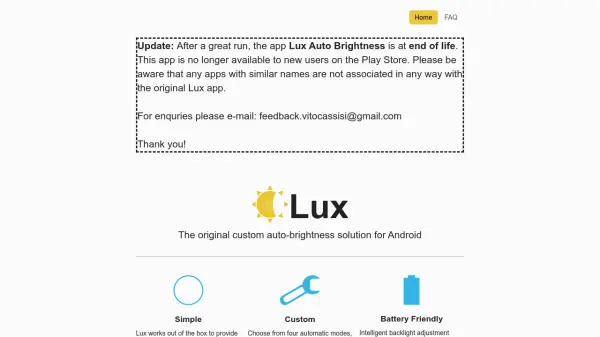
Lux is an Android application designed to optimize display brightness through advanced automatic adjustment. It offers four automatic modes and manual control, intelligently adjusting backlight levels to conserve battery life while ensuring optimal visibility. The app includes features like sub-zero brightness for low-light environments, automatic night mode to reduce blue light at sunset, and astronomer mode for preserving night vision.
Additional functionalities include Tasker/Locale support for automation, an expandable notification and widget for quick access, and a low-level adjustment option for rooted devices. Lux aims to enhance user experience by providing superior backlight management tailored to various lighting conditions and user preferences.
Features
- Automatic Brightness Adjustment: Intelligent backlight adjustment for optimal display visibility
- Custom Modes: Four automatic modes and manual adjustment options
- Night Mode: Automatically warms display at sunset to reduce blue light
- Sub-zero Brightness: Reduces backlight lower than standard for low-light environments
- Tasker/Locale Support: Enables automation integration with third-party apps
- Expandable Notification and Widget: Provides quick access to status and settings
- Astronomer Mode: Makes display red to preserve natural night vision
- Battery Friendly: Adjusts brightness to minimize power consumption
- Low Level Adjustment: Enhanced features available for rooted devices
Use Cases
- Optimizing display brightness on Android devices in varying lighting conditions
- Reducing eye strain by adjusting blue light levels at night
- Conserving battery life through intelligent backlight management
- Enhancing low-light viewing with sub-zero brightness settings
- Automating display adjustments using Tasker or Locale integrations
- Preserving night vision for astronomy or nighttime activities
FAQs
-
Is Lux still available for download on the Play Store?
No, Lux is no longer available to new users on the Play Store as it has reached end of life. -
How can I contact support for Lux?
You can email [email protected] for enquiries. -
Does Lux support automation with other apps?
Yes, Lux offers Tasker/Locale support for automation integration. -
What is the purpose of Lux's astronomer mode?
Astronomer mode makes the display red to preserve natural night vision. -
Are there enhanced features for rooted devices?
Yes, a low-level adjustment upgrade is available for rooted devices to enhance Lux's functionality.