

What is LogoLicious?
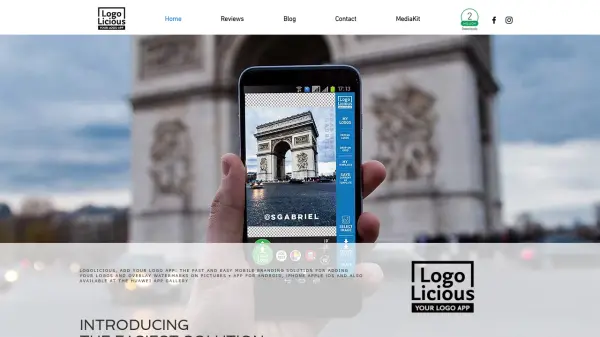
LogoLicious is a mobile application designed for Android, iPhone iOS, and Huawei devices that provides a straightforward solution for adding logos, watermarks, and text to images directly from a phone. The app allows users to personalize, promote, and protect their photos by applying branding elements before sharing them online. With features like drag-and-drop logo placement, scaling, rotation, transparency adjustment, and text overlay, LogoLicious helps users maintain visual consistency across their digital content.
The application supports various file formats including .png, .jpg, and .gif for logos, and includes a template feature to save logo layouts for future use. It also offers multilingual support in English, Portuguese, Spanish, and Dutch, making it accessible to a global audience. By enabling users to easily brand their images, LogoLicious aids in building a cohesive and professional online presence while preventing unauthorized reuse of visual content.
Features
- Logo Placement: Drag-and-drop functionality to position logos anywhere on images
- Scaling and Rotation: Adjust logo size and orientation to fit perfectly
- Text Overlay: Add custom text with multiple font options and Unicode support
- Template Saving: Save logo layouts as templates for consistent future use
- Multilingual Support: Available in English, Portuguese, Spanish, and Dutch
Use Cases
- Branding business photos before sharing on social media
- Adding watermarks to protect personal or professional images
- Creating consistent visual content for marketing campaigns
- Personalizing images with text overlays for promotions
- Applying logos to product photos for e-commerce listings
FAQs
-
What file formats does LogoLicious accept for logos?
LogoLicious accepts .png, .jpg, and .gif files for logos. -
Can I add text to images using LogoLicious?
Yes, you can add custom text with multiple fonts and Unicode support, including names, hashtags, or URLs. -
Does LogoLicious support multiple languages?
Yes, the app is available in English, Portuguese, Spanish, and Dutch. -
Can I save logo layouts for future use?
Yes, LogoLicious includes a template feature to save logo positions and setups for consistent application. -
How do I get my logo into the app?
You can download your logo via a cloud service or email the file to an inbox connected to your mobile device.