What is LiveFlow?
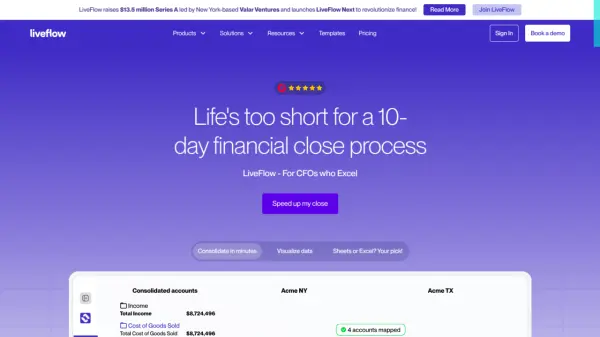
LiveFlow is a financial planning and analysis platform designed to streamline reporting and consolidate financial data. The platform integrates directly with QuickBooks, Google Sheets, and Excel, enabling users to transform static spreadsheets into dynamic, live dashboards.
LiveFlow offers a suite of tools for automating financial workflows, including budget vs. actuals tracking, department reporting, cash flow forecasting, and multi-entity consolidation. It also includes A/P & A/R reporting, and expense and project management. By automating these processes, LiveFlow helps finance teams save time and make decisions with greater speed and accuracy.
Features
- Live reporting in Google Sheets and Excel: Turn spreadsheets into live FP&A dashboards.
- A/P & A/R reporting: Track accounts payable and receivable.
- Unlimited Viewer users: Share financial information across team.
- Expense management: Simplify and track business expenditures.
- Unlimited Workspaces: Organize multiple reports and consolidations.
- Department reporting: Provides reporting on all departments
- Unlimited reports: Create as many financial reports.
- Project reporting: Track spending against allocated project budgets.
- Unlimited refresh & automatic hourly refresh: Keep data current with frequent updates.
- Drill down into transactions: Access detailed transaction data.
- Cash Flow forecasting: Forecast and manage cashflow
- Live Budget vs. Actuals: Track actual and budgeted numbers
- Implementation fee: Includes end-to-end onboarding, private training and dedicated 1:1 support.
Use Cases
- Budget vs. Actuals Tracking
- Departmental Reporting
- Multi-Entity Consolidation
- Cash Flow Forecasting
- Scenario Planning
- Headcount Planning
- Client Reporting
FAQs
-
How can I get support?
The fastest way to get support is via Intercom. Click on the blue Intercom in the bottom right corner of the webpage and we will be in touch as fast as we can. -
When will you reply my request?
We usually answer in a few minutes, but please allow up to 24 hours. -
Do you have personal support?
Yes, all our support is done by humans, not bots, and you will be talking directly to our team. -
Can I cancel my plan?
Yes, you can always cancel your plan. No questions asked. -
How many QuickBooks companies can I connect?
You can connect unlimited QuickBooks companies to LiveFlow.