LIVE4 GoPro favicon

LIVE4 GoPro
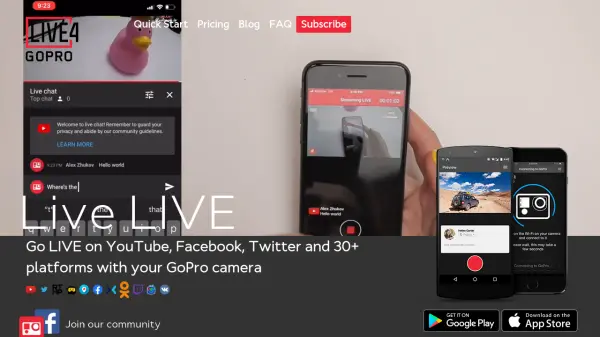
Go LIVE on YouTube, Facebook, Twitter and 30+ platforms with your GoPro camera

What is LIVE4 GoPro?

LIVE4 GoPro is a mobile application designed for live video streaming from GoPro cameras to various social media platforms. It allows users to broadcast directly to platforms like Facebook, YouTube, and Instagram using their mobile data connection. The app provides features such as remote control of camera start and stop, automatic streaming via mobile data, and live comments during broadcasts.

Users can stream to personal Facebook feeds, public pages, or groups, with options to adjust stream privacy settings. The app includes an in-app tutorial for camera connection and supports a wide range of GoPro models. Video quality automatically adjusts based on cellular connection speed, and streams are saved both on the camera's SD card and on the social media platform.

Features

  • Camera Compatibility: Supports a wide range of GoPro models including HERO7, HERO6, Fusion, and older versions
  • Streaming Platforms: Stream to Facebook, YouTube, Instagram, and 30+ other platforms
  • Remote Control: Start and stop the camera remotely from the app
  • Adaptive Quality: Video quality automatically adjusts to available cellular connection speed
  • Privacy Settings: Change stream privacy to Public, Friends, or Only me
  • Stream Saving: Stream is saved on both Facebook wall/page/group and camera's SD card
  • Live Comments: View and interact with live comments during broadcasts
  • Mobile Data Streaming: Automatic streaming via mobile data connection

Use Cases

  • Live streaming adventure sports and outdoor activities
  • Broadcasting events in real-time to social media audiences
  • Sharing travel experiences instantly with followers
  • Streaming live content for social media marketing
  • Creating live video content for personal or professional use

Blogs:

  • Top 6 AI note-taking tools for 2026: in-person, online, and hybrid use cases

    Top 6 AI note-taking tools for 2026: in-person, online, and hybrid use cases

    Most AI note-taking lists are really lists of meeting bots, which join your video call and transcribe it. That's useful, but it's half the picture. Decisions happen in hallway conversations, client dinners, on-site visits, and hybrid rooms where nobody is on a video link. This guide covers different parts of the note-taking workflow: hardware capture for in-person settings, platform-native tools for online calls, and AI layers for organizing and synthesizing what you've captured. It compares six tools by capture context, workflow fit, pricing, and limitations.

  • Best ai tools for Twitter Growth

    Best ai tools for Twitter Growth

    The best AI tools for Twitter's growth are designed to enhance user engagement, increase followers, and optimize content strategy on the platform. These tools utilize artificial intelligence algorithms to analyze Twitter trends, identify relevant hashtags, suggest optimal posting times, and even curate personalized content.

  • Top AI tools for Students

    Top AI tools for Students

    These AI tools are designed to enhance the learning experience for students. From personalized study plans to intelligent tutoring systems.

  • AI tools for video voice overs

    AI tools for video voice overs

    Discover the next level of video production with AI-powered voiceover tools. Enhance your content effortlessly, ensuring professional-quality narration for your videos.

Didn't find tool you were looking for?

Be as detailed as possible for better results