What is Listening Ear Trainer?
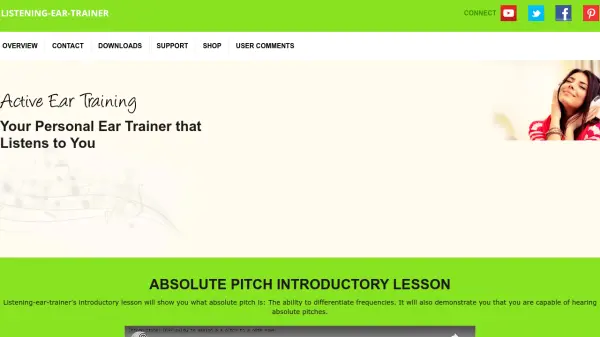
Listening Ear Trainer is an innovative software application designed to help musicians develop their listening skills through scientifically-based training methods. The tool focuses on two main areas: Absolute Pitch training, which helps users recognize and reproduce specific musical notes, and Relative Pitch training, which focuses on understanding musical intervals and relationships between notes.
The software uses AI technology to analyze users' vocal input through their computer microphone, providing visual feedback on pitch accuracy, timing, and loudness. Through progressive exercises like The Singing Funnel Method and The Interval Overtone Method, users can gradually improve their pitch recognition abilities while tracking their progress over time. The program is available for both Macintosh and Windows platforms and offers a completely free version with no hidden fees or in-app purchases.
Features
- Absolute Pitch Training: 66 exercises using The Singing Funnel Method and 8 exercises using The Octave Anchor Pitches Method
- Relative Pitch Training: 22 exercises using The Interval Overtone Method plus triad recognition exercises
- Real-time Feedback: AI analysis of vocal input with visual feedback on pitch, beat, and loudness
- Progress Tracking: Scientific approach to assess current standing and observe improvement over time
- Free Software: 100% free to download and use with no hidden fees or in-app purchases
- Cross-platform Compatibility: Available for both Macintosh and Windows operating systems
Use Cases
- Developing absolute pitch recognition skills
- Improving relative pitch and interval identification
- Enhancing vocal pitch accuracy through feedback
- Tracking musical ear training progress over time
- Learning to differentiate musical frequencies precisely
- Preparing for music examinations that require pitch recognition
FAQs
-
What equipment do I need to use Listening Ear Trainer?
You need a computer with an adequate microphone to capture your vocal input for analysis. -
How does the software track my progress?
The software uses a scientific approach to assess your current standing and allows you to observe progress over time through timeline statistics. -
What is the difference between Absolute Pitch and Relative Pitch training?
Absolute Pitch training focuses on recognizing specific musical notes, while Relative Pitch training helps you understand musical intervals and relationships between notes. -
Can I use this software if I'm a complete beginner?
Yes, the software is designed to help both beginners and professionals, with introductory lessons that explain the concepts before starting exercises. -
What happens if I can't sing the notes accurately at first?
The software starts with large tolerance levels and gradually narrows them as you improve, giving you credit even when you're several tones off in the beginning.