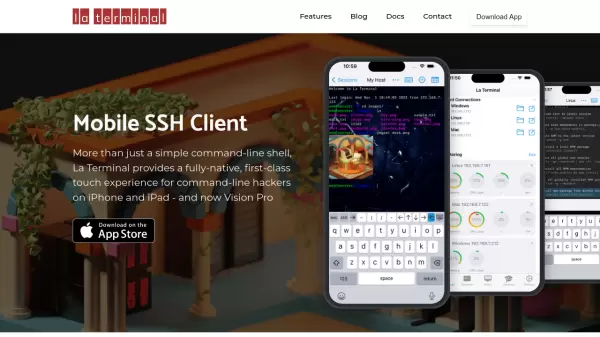
What is La Terminal?
La Terminal stands out as a premium mobile SSH client that delivers a fully-native touch experience for command-line operations on Apple devices. Built on the SwiftTerm open-source library, it offers enhanced security by storing private keys in the secure enclave, ensuring they're never exposed in plain text.
The application features comprehensive workflow management, AI-assisted command writing through El Copiloto, and seamless iCloud synchronization across devices. With support for international character rendering, resource monitoring, and native SFTP capabilities, La Terminal provides a complete terminal solution for mobile users.
Features
- Native Interface: Fully-native touch experience unlike HTML-based alternatives
- Secure Key Storage: Private keys stored in secure enclave
- Resource Monitoring: Network, CPU, memory, and disk usage visualization
- File Management: Native SFTP client with Apple Files app integration
- Cross-Platform Support: Compatible with Linux, Mac, and Windows systems
- AI Command Assistance: El Copiloto helps write terminal commands in plain English
- iCloud Sync: Settings and keys synchronization across Apple devices
- International Support: Internationalized input and output capabilities
Use Cases
- Managing Linux VMs on cloud platforms
- Accessing Mac desktop remotely
- Configuring IoT Raspberry Pi projects
- Windows PowerShell administration
- Remote file system management
- Server monitoring and administration
FAQs
-
What platforms can I connect to using La Terminal?
La Terminal supports connections to Linux, Mac, and Windows systems, including cloud platforms like AWS and Azure. -
How secure are my SSH keys?
SSH keys are stored in the secure enclave, ensuring they can never be found in plain text. -
Does La Terminal support file transfers?
Yes, La Terminal includes a native SFTP client and integrates with Apple's Files app for file transfers.