
What is Kozy Studio?
Kozy Studio leverages artificial intelligence to revolutionize video editing by automating complex editing tasks. Users simply upload their raw video footage and describe their desired edits, and the platform delivers professional-quality results within seconds. This eliminates the need for time-consuming manual editing while maintaining high production standards.
The AI handles various editing functions including subtitle generation, b-roll addition, mistake cutting, engaging hook selection, and removal of dull moments. Kozy Studio integrates seamlessly with popular editing software like Premiere Pro, Final Cut, DaVinci Resolve, and CapCut, allowing users to export complete cut timelines with all trims and transitions for further refinement.
Features
- AI-Powered Editing: Automatically edits videos based on user descriptions
- Fast Processing: Delivers professional edits in seconds
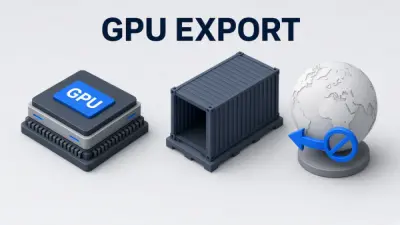
- Multi-Platform Export: Exports to Premiere Pro, Final Cut, DaVinci Resolve, and CapCut
- Automated Enhancements: Handles subtitles, b-roll, mistake removal, and hook selection
- Time-Saving: Eliminates hours of manual editing work
Use Cases
- Content creators needing quick video edits
- Businesses requiring professional video content
- Social media managers optimizing video engagement
- Educators creating instructional videos
- Marketing teams producing promotional content
FAQs
-
What type of videos can I edit?
Kozy Studio can edit various types of videos including content for social media, business presentations, educational materials, and promotional content. -
Can I tweak the edit after Kozy finishes?
Yes, you can export the complete cut timeline to popular editing software like Premiere Pro, Final Cut, DaVinci Resolve, or CapCut for further adjustments. -
How does the free trial work?
The free trial offers 14 days of access to Kozy Studio's editing capabilities with no upfront payment required. -
How long does Kozy take to edit my videos?
Kozy delivers professional video edits in seconds after receiving your raw footage and editing instructions. -
How do the edit minutes work?
Edit minutes refer to the total duration of video content you can process each month, with different plans offering 120, 400, or 1000 minutes of editing.