What is KoboldAI Lite?
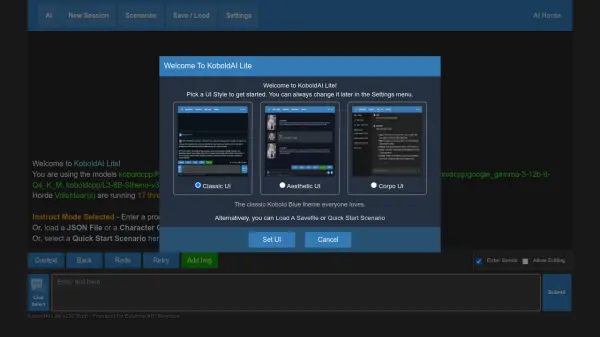
KoboldAI Lite is a flexible front-end user interface designed for interacting with various AI text generation models. It allows users to engage in creative writing, interactive adventures, chat conversations, or provide direct instructions to an AI. The platform supports multiple UI styles (Classic, Aesthetic, Corpo) and usage modes, including Story, Adventure, Chat, and Instruct modes, catering to different user needs and preferences.
It offers extensive customization options for AI behavior through settings like Memory, Author's Note, World Info, and advanced sampler controls (Temperature, Top-P, Top-K, Repetition Penalty, etc.). KoboldAI Lite can connect to different AI backends, including the crowdsourced AI Horde, local KoboldCpp instances, or commercial APIs like OpenAI, Claude, Gemini, Cohere, MistralAI, OpenRouter, Featherless, and Grok, giving users a wide choice of underlying AI models. Additional features include image generation integration, text-to-speech, voice input, and robust session management with save/load capabilities.
Features
- Multiple Usage Modes: Supports Story, Adventure, Chat, and Instruct modes for diverse text generation tasks.
- Flexible Backend Connectivity: Connects to AI Horde, KoboldAI instances, OpenAI, Claude, Gemini, Cohere, MistralAI, and other compatible APIs.
- Context Management: Features Memory, Author's Note, and World Info for persistent AI guidance.
- Advanced Sampler Controls: Fine-tune AI output with Temperature, Top-P, Top-K, Repetition Penalty, Mirostat, and other sampling settings.
- UI Customization: Offers multiple UI themes (Classic, Aesthetic, Corpo) and detailed appearance settings.
- Image Generation: Integrates with AI Horde, KoboldCpp, Forge, A1111, OpenAI DALL-E, and ComfyUI for AI image creation within the narrative.
- Multimedia Features: Includes Text-To-Speech (TTS) output and Voice Input capabilities (requires specific backends).
- Session Management: Allows saving, loading, and sharing sessions, including story progress and settings.
- Web Search Integration: Can utilize web search results to inform AI responses in instruct mode (requires specific backends).
- Roleplay Character Creator: Includes a tool to easily set up characters for roleplaying scenarios.
Use Cases
- Writing novels or short stories collaboratively with an AI.
- Creating and playing text-based interactive fiction (adventure games).
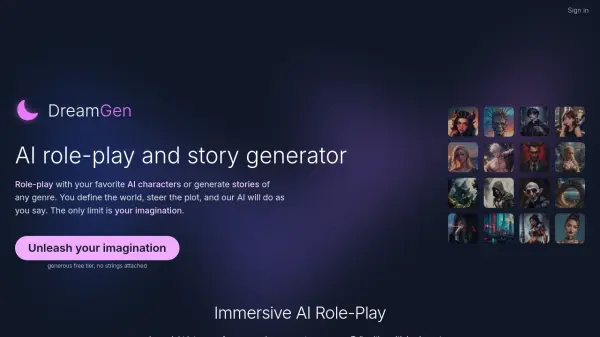
- Engaging in roleplaying scenarios with AI characters.
- Chatting with AI personalities or assistants.
- Using AI to follow instructions or complete specific tasks.
- Experimenting with different AI models and generation settings.