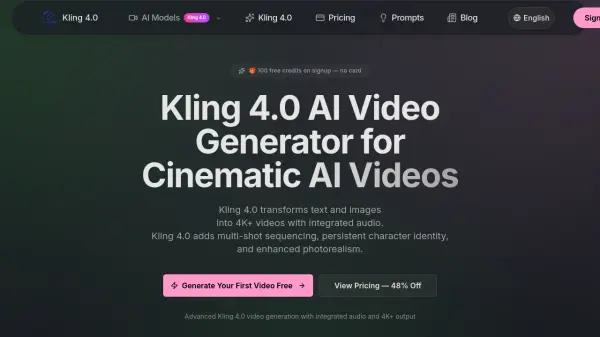
What is Kling 4.0?
Kling 4.0 is an advanced AI video generation platform that converts text descriptions and reference images into ultra-high-resolution, cinematic-quality videos at 4K and beyond. Building on earlier Kling models, version 4.0 introduces significant improvements in motion fidelity, photorealism, and audio integration. The platform supports both text-to-video and image-to-video workflows, enabling users to generate professional-grade video content directly from natural language prompts or uploaded visuals. Kling 4.0 also features persistent character identity, ensuring consistent facial features, clothing, and body types across multi-shot sequences and varying camera angles.
Kling 4.0 provides access to a suite of specialized AI models, including motion control, avatar animation (Avatar V2), video editing, and image generation tools such as Kling O3 Image and Nano Banana 2. The platform uses a transparent credit-based pricing system where costs are shown before each generation and failed generations are never charged. Users can choose from one-time credit packs or monthly and annual subscription plans, all of which include watermark-free downloads, multiple aspect ratio support, and priority queue access for paid tiers. A library of over 150 proven prompts is also available for creative inspiration.
Features
- 4K+ Ultra-High Resolution: Generates native 4K and beyond video output suitable for professional production and large-screen display.
- Text-to-Video Generation: Converts natural language prompts into high-quality video with precise prompt adherence.
- Image-to-Video Animation: Animates still images with natural motion, supporting single and dual-image input for start/end frame control.
- Native Audio Co-Generation: Produces synchronized dialogue, foley, music, and ambient sound alongside video in a single generation pass.
- Multi-Shot Cinematic Sequencing: Builds coherent multi-shot narratives with consistent characters, settings, and visual style across scenes.
- Persistent Character Identity: Maintains consistent facial features, clothing, and body types across different camera angles and scenes.
- Multiple Aspect Ratios: Supports 16:9, 9:16, 4:3, 3:4, 21:9, and 1:1 for any platform from cinema to social media.
- Professional Motion Control: Distinguishes subtle micro-expressions from grand dynamic actions, with optional camera-fixed mode.
- Multi-Modal Input: Combines text prompts, reference images, and video clips for maximum creative control.
- 150+ Prompt Library: Browse and reuse proven prompts with the exact video output they produce.
Use Cases
- Creating short-form social media videos for TikTok, Instagram Reels, and YouTube Shorts
- Producing cinematic product showcase and e-commerce reveal videos
- Generating storytelling and film scenes, character shots, and action sequences
- Building talking avatar and brand explainer content
- Animating still images for marketing or creative projects
- Creating multi-shot video narratives with consistent characters
- Generating AI images for visual content workflows
- Producing storyboard-style video concepts for pre-production
How It Works
Write a Prompt
Describe the scene, camera movement, characters, style, lighting, and audio direction you want Kling 4.0 to generate.
Choose Input Mode
Start from a text prompt, upload a reference image, or combine visual inputs for stronger control over the generated output.
Set Video Options
Select the duration, aspect ratio, audio settings, quality mode, and motion settings for your generation.
Generate and Download
Preview the output, download your watermark-free video, and reuse the prompt for new variations or higher-quality runs.
FAQs
-
Is there a free way to try Kling 4.0?
Yes. Kling 4.0 offers 100 free credits upon signup with no credit card required, allowing new users to generate their first videos at no cost. -
Am I charged for failed generations?
No. Credits are only deducted when a generation succeeds. Failed generations are never charged. -
Do credits expire?
One-time credit packs never expire. Monthly subscription credits refresh each month but do not carry over. -
How much do I save with annual billing?
Annual billing can save up to 48% compared to paying month to month. For example, the Standard annual plan works out to approximately $41.60 per month instead of $49.90. -
Can I use generated content commercially?
Commercial use is supported on paid plans. Users should review the platform's Terms of Service for full details on commercial licensing.