What is Klarity?
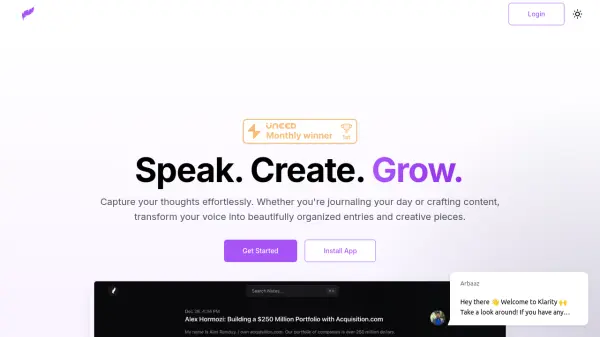
Klarity is a productivity tool designed to effortlessly capture and organize your thoughts. It converts your voice into well-structured text, suitable for various applications, including meeting summaries, lecture notes, email drafts, and content creation.
The tool integrates with various platforms such as Notion, Linear, Typefully, Readwise, Obsidian and custom webhooks, allowing you to streamline your workflow. Klarity supports advanced AI models like GPT-4 and Claude to ensure high accuracy and efficiency in transcription and content generation.
Features
- Webhooks: Connect with any service using custom webhooks to automate workflow.
- Readwise Sync: Sync transcriptions to Readwise to build a knowledge base.
- Typefully Threads: Transform transcriptions into Twitter threads.
- YouTube Transcription: Record and transcribe YouTube videos with a single click.
- Notion Integration: Automatically sync notes, tasks, and transcriptions to Notion.
- Linear Integration: Convert transcriptions into Linear issues instantly.
- Obsidian Integration: Transform transcriptions into knowledge graphs, backlinks, and markdown notes.
- Smartest AI models (GPT-4, Claude): leverage the smartest AI models to get the perfect results.
Use Cases
- Meeting Summaries
- Lecture Notes
- Quick Notes
- Email Drafts
- Content Creation
- Sales Pitches
- Interview Prep
- Brain Dumps
- Writing Assistant
FAQs
-
How do you handle data security and privacy?
For specific details, it's recommended to contact Klarity support directly or refer to their Terms of Service. -
What is included in the Free plan?
The Free plan includes 5 minutes per recording, 15 minutes of total recording, YouTube transcription (5-minute limit), basic AI models, and integrations with Notion, Linear, Typefully, Readwise, Custom Webhooks, and Obsidian. -
What does the Yearly plan offer?
The Yearly plan offers unlimited recording length and total recording, full YouTube transcription, integrations with Notion, Linear, Typefully, Readwise, Custom Webhooks, and Obsidian, smartest AI models (GPT-4, Claude), and priority email support. -
What is the Believer plan?
The Believer plan is a one-time payment plan that offers unlimited recording length and total recording, full YouTube transcription, integrations with Notion, Linear, Typefully, Readwise, Custom Webhooks, and Obsidian, smartest AI models (GPT-4, Claude), priority email support, early access to new features, lifetime access, and all future updates. -
What AI models do you support?
Klarity supports basic AI models in the Free plan and the smartest AI models, including GPT-4 and Claude, in the Yearly and Believer plans.