What is Jewelry CAD Dream?
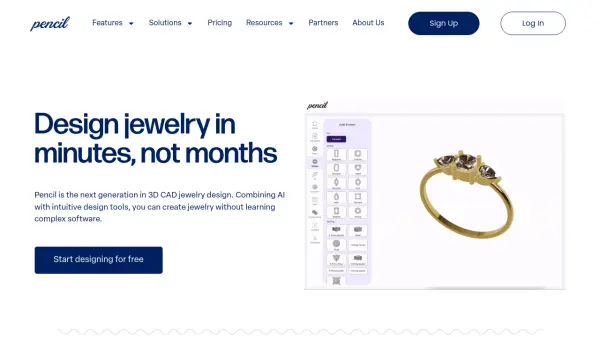
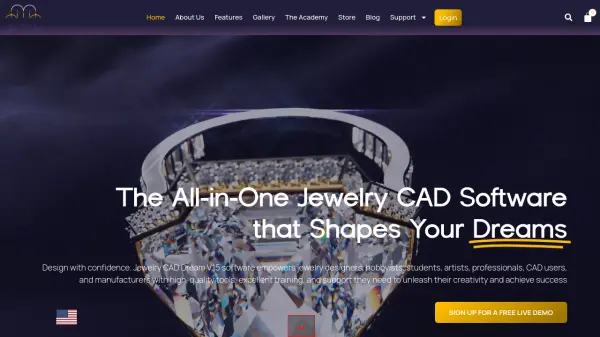
Jewelry CAD Dream V.15 is a professional jewelry CAD software that empowers designers, hobbyists, students, and manufacturers with high-quality tools and excellent training and support. Powered by the ZW3D engine, it provides unmatched speed, seamless editing, and unbreakable design history for flawless CAD creations. The software offers a comprehensive suite of features, including organic modeling, pavé tools, gemstone and setting tools, cutter tools, and ultra-realistic rendering and visualization capabilities. With flexible pricing options and support for 14 languages, Jewelry CAD Dream is designed to meet the diverse needs of the jewelry industry, from concept to production.
Features
- Organic Modeling: Built-in Sketch libraries for easy organic modeling.
- Pavé Tools: Specialized tools for creating intricate pavé designs with round or fancy gemstones.
- Gemstone Tools: Comprehensive tools for creating gem-encrusted pieces.
- Setting Tools: Tools for bezels, wire settings, prongs, and more with fine-tuning parameters.
- Cutter Tools: Tools for Micro Pavé Scallops, Azure Cutters, and Honeycomb Cutters.
- Rendering and Visualization: Live renderings and animations with physics engine.
- Printer Ready: Easy STL file exports for 3D printing.
- Additional Features: Includes Ring Sizing, Milgrain, Chain Tool, Jump Rings, Celtic Knot, and more.
- Unmatched Speed and Performance: Powered by ZW3D engine for fast and stable CAD.
- High Flexibility: Extensive array of tools for pavé, gemstone settings, and organic shapes.
Use Cases
- Designing custom jewelry pieces for clients.
- Creating intricate pavé and gemstone settings.
- Rendering photorealistic visualizations for presentations.
- Preparing models for 3D printing and manufacturing.
- Training and skill development for jewelry CAD designers.
- Virtual inventory creation for retailers.
- Bespoke CAD design and finished jewelry production.
- Private mentorship and coaching in jewelry CAD.
FAQs
-
What languages does Jewelry CAD Dream support?
Jewelry CAD Dream V.15 is available in 14 languages: Chinese (Simplified), Chinese (Traditional), English, French, German, Italian, Japanese, Korean, Polish, Portuguese, Russian, Spanish, Czech, and Turkish. -
Can I export my designs for 3D printing?
Yes, Jewelry CAD Dream allows seamless transition from design to production with easy STL file exports for 3D printing. -
What kind of support and training is provided?
Jewelry CAD Dream offers extensive training, support, and access to new tutorials. Users can also benefit from private mentorship and coaching programs. -
Is there a free demo available?
Yes, you can sign up for a free live demo to see the software in action. -
What are the system requirements for Jewelry CAD Dream?
System requirements are available on the website under the 'System Requirements' section.