Isabel Symptom Checker favicon

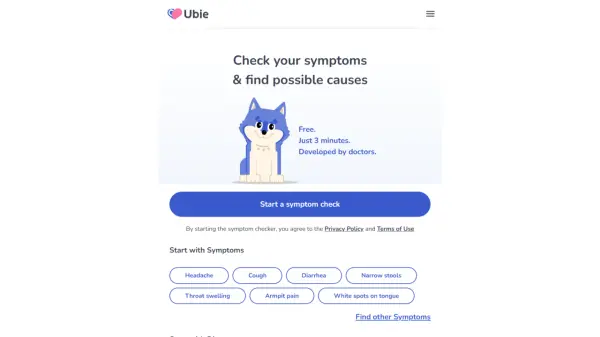
Isabel Symptom Checker
The Symptom Checker Doctors Use and Trust

What is Isabel Symptom Checker?

Developed over 20 years using Artificial Intelligence technologies, this symptom checker offers a comprehensive and user-friendly experience. It allows users to enter multiple symptoms and provides accurate results, recognized for its ability to cover both common and rare conditions. This tool is based on the Isabel professional tool, which has been used in leading hospitals globally since 2001.

Features

  • Quick and Easy: Enter as many symptoms as you like without endless questions.
  • Trusted by Doctors: Based on the Isabel professional tool used in hospitals worldwide.
  • Accuracy: Recognized worldwide for its accuracy, covering both common and rare conditions.
  • AI-Powered: Developed, refined, and tested over 20 years using Artificial Intelligence technologies.

Use Cases

  • Individuals seeking to understand potential health concerns based on their symptoms.
  • Patients preparing for a doctor's appointment and wanting to organize their symptoms.
  • People looking for a reliable second opinion on their symptoms.
  • Individuals who need fast information in emergency.

Related Tools:

Blogs:

  • Best AI tools for trip planning

    Best AI tools for trip planning

    These tools analyze user preferences, budget constraints, and destination details to provide personalized itineraries, suggest optimal routes, recommend accommodations, and even offer real-time updates on weather and local events.

  • Top 6 AI note-taking tools for 2026: in-person, online, and hybrid use cases

    Top 6 AI note-taking tools for 2026: in-person, online, and hybrid use cases

    Most AI note-taking lists are really lists of meeting bots, which join your video call and transcribe it. That's useful, but it's half the picture. Decisions happen in hallway conversations, client dinners, on-site visits, and hybrid rooms where nobody is on a video link. This guide covers different parts of the note-taking workflow: hardware capture for in-person settings, platform-native tools for online calls, and AI layers for organizing and synthesizing what you've captured. It compares six tools by capture context, workflow fit, pricing, and limitations.

Didn't find tool you were looking for?

Be as detailed as possible for better results