What is Hikarun?
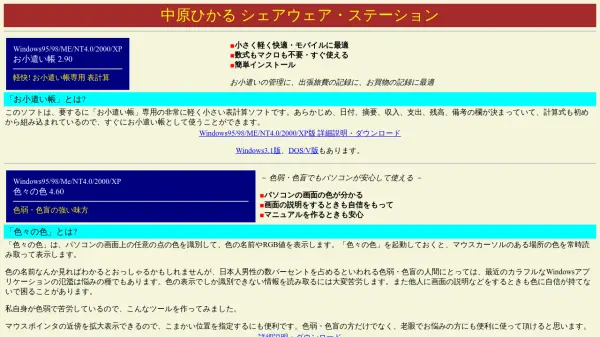
Hikarun is a Japanese software application that provides two main utilities: a color picker tool and a simple calculator. The color picker, called "F X no Iro," allows users to identify colors by hovering over any point on the screen, displaying the color name and RGB values. It is particularly useful for Japanese users, as it supports Japanese color names and can be used in various scenarios, such as checking colors on websites or in documents.
The calculator tool, named "Anzan Keisan," is designed for quick and easy arithmetic calculations without the need for complex operations. It supports basic functions like addition, subtraction, multiplication, and division, making it suitable for everyday use. Both tools are compatible with older Windows versions, including Windows 95 through XP, and are optimized for simplicity and efficiency.
Features
- Color Picker: Identifies colors from any screen point and displays color names and RGB values
- Simple Calculator: Performs basic arithmetic operations like addition, subtraction, multiplication, and division
- Japanese Support: Optimized for Japanese users with Japanese color names and interface
- Windows Compatibility: Runs on Windows 95, 98, ME, NT4.0, 2000, and XP
- Ease of Use: Simple and intuitive interface for quick access to tools
Use Cases
- Identifying colors in web design or graphic work
- Performing quick arithmetic calculations for daily tasks
- Checking color values in documents or images
- Learning color names in Japanese
- Using basic tools on older Windows systems