
What is HexoGrid?
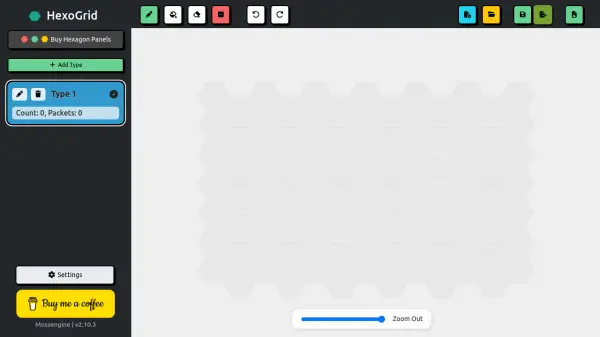
HexoGrid is a user-friendly web application that allows you to design and visualize hexagon grid layouts. You can specify the number of columns and hexagons per column, or use the built-in calculator to determine grid dimensions based on hexagon and wall sizes. The tool supports saving and opening projects, exporting the grid as an image, and adjusting settings such as grid background color and hexagons per packet. It is particularly useful for planning hexagon tile installations, such as flooring or wall panels.
The interface is simple and intuitive, featuring a grid editor where you can define tile types and generate the grid. HexoGrid is completely free to use and runs directly in your browser, with no need for registration or downloads.
Features
- Custom Grid Dimensions: Manually set columns and hexagons per column for precise layout control.
- Size Calculator: Automatically calculate grid size based on hexagon and wall measurements.
- Project Management: Save and open projects to continue work later.
- Image Export: Export the grid layout as an image file.
- Settings Customization: Adjust grid background color and hexagons per packet.
- Free to Use: No cost, no registration, and runs entirely in the browser.
Use Cases
- Planning hexagon tile layouts for flooring or walls.
- Designing mosaic patterns for interior design projects.
- Creating templates for DIY hexagon panel installations.
- Estimating the number of hexagon tiles needed for a given area.
FAQs
-
Is HexoGrid free to use?
Yes, HexoGrid is completely free to use with no registration or payment required. -
Can I save my grid design?
Yes, you can save your project locally and open it later to continue editing. -
Can I export my grid as an image?
Yes, you can export the grid layout as an image file. -
What units does the size calculator use?
The calculator accepts any consistent unit of measurement, such as mm, cm, or inches.